
BalloonBuilder Pricing & Plans
From columns and arches to balloon walls, walk-through tunnels and mosaic numbers — every plan includes all five designers, real-time 3D rendering, unlimited designs, and watermark-free exports. The tiers differ only in how many design modes and advanced tools are unlocked.
🎯 Entry
Essential balloon design tools for standard columns & arches.
- ✓ 8 column, arch & helium modes
- ✓ 6 wall modes
- ✓ Helium bouquets & balloon ceilings
- ✓ Full Mosaic Designer — every letter, number & SVG shape
- ✓ 1 printable mosaic template/mo
- ✓ All color patterns · organic (lite)
- ✓ Custom path shapes
- ✓ All exports — no watermark
- — No LOL or rainbow modes
- — No manual size editing
🎨 Pro
Advanced modes & creative control for growing businesses.
- ✓ 17 column, arch & helium modes
- ✓ 14 wall modes
- ✓ 2 printable mosaic templates/mo
- ✓ LOL columns & arches
- ✓ Balloon Stack & Plus Grid Arch New
- ✓ 260 spirals & braids New
- ✓ Rainbow Arch & Ring Column
- ✓ Flat Column & Plus Grid walls New
- ✓ Double wall
- ✓ Manual layer size editing
- ✓ Full organic + spot lights
- ✓ Number presets (0–9)
- — No tunnels or auto mapping
💎 Full
Every feature, specialty mode, and tool unlocked.
- ★ 24 column, arch & helium modes
- ★ 19 wall modes + Tunnel mode
- ★ Auto color mapping from photo
- ★ Mural outlines around every colour area New
- ★ Link Letters & Advanced Ring Column New
- ★ Advanced, Brick Link & Horizontal LOL walls New
- ★ Foil Text & Foil Arch
- ★ Light Column & Rainbow LOL
- ★ Garland chains & exploding stars
- ★ 3 printable mosaic templates/mo
- ★ Custom user patterns
- ✓ Everything in Pro included
🎬 Full + SceneBuilder
Complete studio with integrated 3D venue mock-up environment.
- ★ Everything in Full plan
- ★ Integrated 3D Venue/Scene Builder
- ★ Custom room dimensions & lighting
- ★ Shimmer walls, backdrops & drapes
- ★ Client-ready photorealistic mockups
- ✓ Best value for full-time professionals
Every account starts with 14 free days plus a 24-hour trial of every plan — no credit card required. SceneBuilder itself is not part of the trial. Start free →
Designed in BalloonBuilder
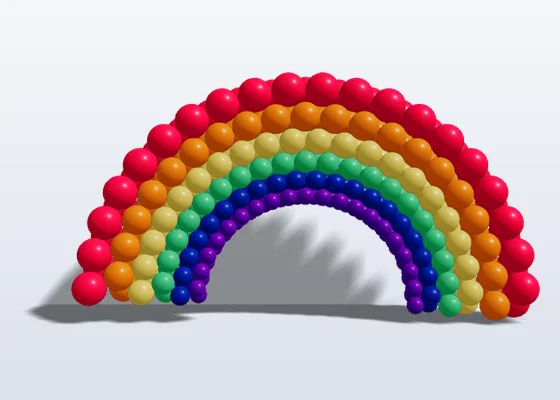
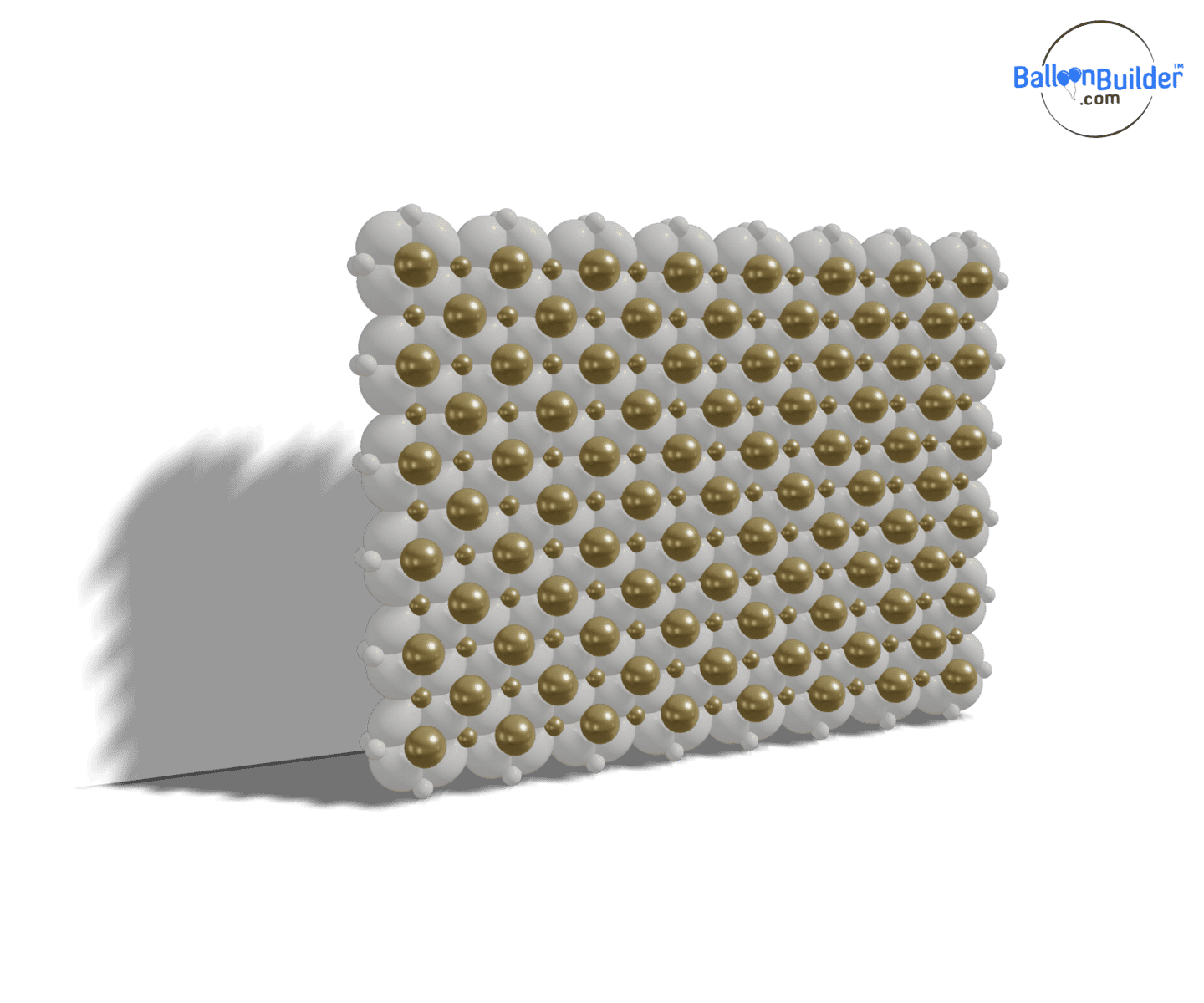
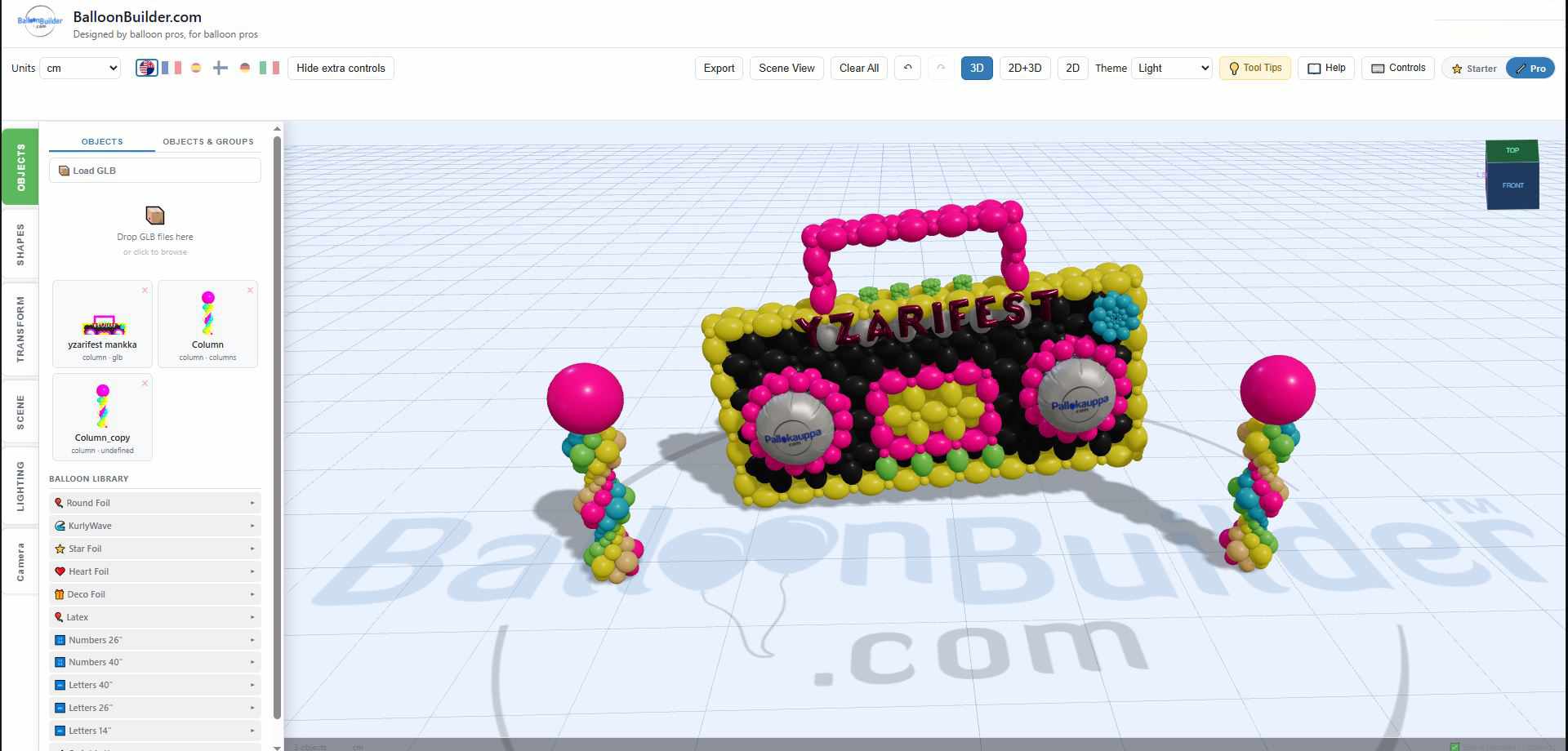
Every render below was exported straight from the app, unedited — the same output your clients see in your proposals.

New in this update New
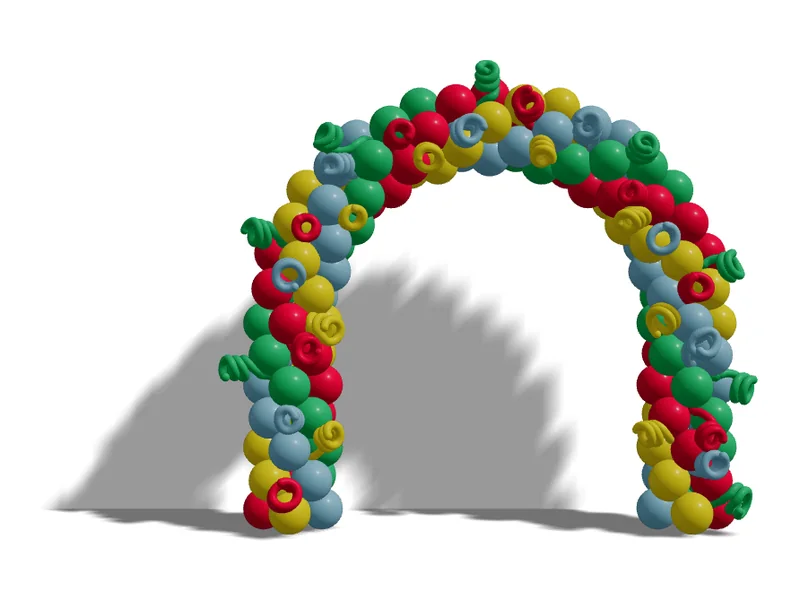
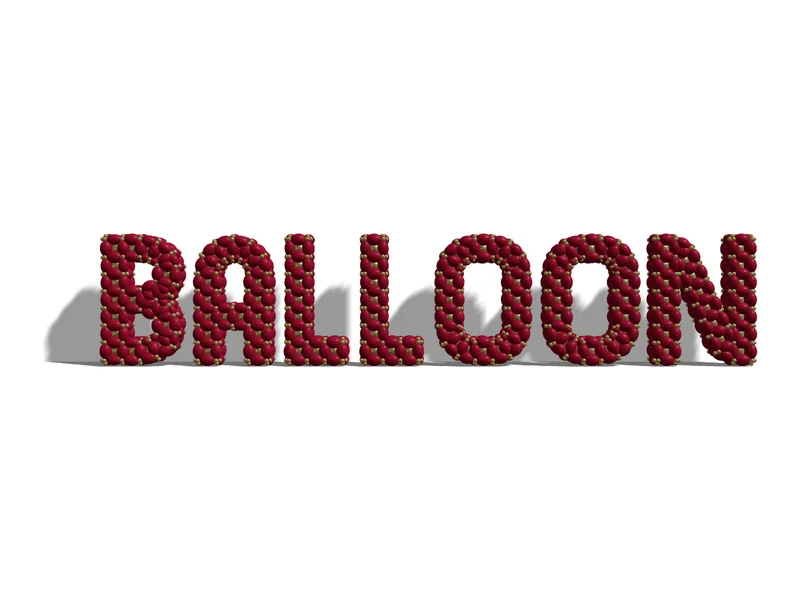

The Mosaic Designer is included from Entry up — mosaic numbers, letters and custom shapes — with 1–3 printable build templates a month depending on your plan.
Design Modes by Plan
Every design mode in the Columns & Arches and Walls & Mosaics apps, broken down by plan.
| Design Mode | Entry | Pro | Full | Full + SceneBuilder |
|---|---|---|---|---|
| Columns & Arches — Basic (8 modes) | ||||
| Column (standard) | ✓ | ✓ | ✓ | ✓ |
| Arch (half-circle) | ✓ | ✓ | ✓ | ✓ |
| Arch 240° · Arch 360° · U-Arch | ✓ | ✓ | ✓ | ✓ |
| Custom Path / Demi Arch | ✓ | ✓ | ✓ | ✓ |
| 🎈 Helium Bouquet · ☁️ Helium Ceiling | ✓ | ✓ | ✓ | ✓ |
| Columns & Arches — LOL Modes (+5 in Pro) | ||||
| LOL Column · LOL Horizontal · LOL X | — | ✓ | ✓ | ✓ |
| Simple LOL Column · Simple LOL Arch | — | ✓ | ✓ | ✓ |
| Columns & Arches — Rainbow, Ring, Stack & Plus Grid (+4 in Pro) | ||||
| Rainbow Arch (duplet) · Ring Column | — | ✓ | ✓ | ✓ |
| Balloon Stack New | — | ✓ | ✓ | ✓ |
| Plus Grid Arch New | — | ✓ | ✓ | ✓ |
| Columns & Arches — Full Exclusive (+7 modes) | ||||
| Rainbow LOL Arch · Rainbow LOL X Arch | — | — | ✓ | ✓ |
| Light Column | — | — | ✓ | ✓ |
| 🔤 Foil Text · 🌈 Foil Arch | — | — | ✓ | ✓ |
| Link Letters New | — | — | ✓ | ✓ |
| Advanced Ring Column (domes) New | — | — | ✓ | ✓ |
| Walls — Entry (6 modes) | ||||
| Link Balloon Grid (12″) | ✓ | ✓ | ✓ | ✓ |
| Link Balloon X Pattern | ✓ | ✓ | ✓ | ✓ |
| Alternate Size Pack · Alt Pack (90°) | ✓ | ✓ | ✓ | ✓ |
| Duplet Square Pack · Duplet (90°) | ✓ | ✓ | ✓ | ✓ |
| Walls — Pro (+8 modes) | ||||
| 12″ & 6″ Grid · 12″ & 6″ Grid (90°) | — | ✓ | ✓ | ✓ |
| Plus Link Wall | — | ✓ | ✓ | ✓ |
| Plus Grid Wall New | — | ✓ | ✓ | ✓ |
| Flat Column Wall · Flat Column Wall (90°) New | — | ✓ | ✓ | ✓ |
| Foilballoon Wall | — | ✓ | ✓ | ✓ |
| Organic Wall | — | ✓ | ✓ | ✓ |
| Walls — Full Exclusive (+5 modes) | ||||
| Advanced Link Wall · Advanced X Pattern Wall (domed) | — | — | ✓ | ✓ |
| Advanced Duplet Wall | — | — | ✓ | ✓ |
| Brick Link Wall New | — | — | ✓ | ✓ |
| Horizontal LOL Wall New | — | — | ✓ | ✓ |
| Mosaic Designer (in the Walls app) | ||||
| Mosaic letters, numbers & symbols — 6 fonts, 354 shapes | ✓ | ✓ | ✓ | ✓ |
| Custom SVG shapes · Inner wall dividers | ✓ | ✓ | ✓ | ✓ |
| Fill area — colour a whole part in one click New | ✓ | ✓ | ✓ | ✓ |
| Printable mosaic templates (per month) | 1 | 2 | 3 | 3 |
| Specialty Environment Studio | ||||
| 3D Venue / Room SceneBuilder | — | — | — | ✓ |
| Column, Arch & Helium Modes | 8 | 17 | 24 | 24 |
| Wall Modes | 6 | 14 | 19 | 19 |
Features & Tools by Plan
Beyond design modes, each plan unlocks different creative tools, export options, and rendering features.
| Feature | Entry | Pro | Full | Full + SceneBuilder |
|---|---|---|---|---|
| Design & Rendering | ||||
| Real-time 3D + 2D split view | ✓ | ✓ | ✓ | ✓ |
| Organic mode | Lite | ✓ Full | ✓ Full | ✓ Full |
| 260 spirals & braids in columns and arches New | — | ✓ | ✓ | ✓ |
| Double wall | — | ✓ | ✓ | ✓ |
| Balloon tunnel mode | — | — | ✓ | ✓ |
| Auto color mapping (from photo) | — | — | ✓ | ✓ |
| Mural outlines — a dark line around every colour area New | — | — | ✓ | ✓ |
| 👤 Scale person — check the size against a person New | ✓ | ✓ | ✓ | ✓ |
| Colors, Sizes & Patterns | ||||
| Real manufacturer palettes — Sempertex · Kalisan · TufTex · Gemar | ✓ | ✓ | ✓ | ✓ |
| All color patterns | ✓ | ✓ | ✓ | ✓ |
| 🎲 Generate wall colour patterns New | Random only | ✓ All | ✓ All | ✓ All |
| Size patterns | ✓ All | ✓ All | ✓ All | ✓ All |
| Manual layer size editing | — | ✓ | ✓ | ✓ |
| Custom user patterns (save & reuse) | — | — | ✓ | ✓ |
| Organic Add-ons | ||||
| Clusters · Large balloons | Clusters only | ✓ | ✓ | ✓ |
| Garland chains · Exploding stars | — | — | ✓ | ✓ |
| Toppers & Foils | ||||
| Latex top + 36″ Star & Heart | ✓ | ✓ | ✓ | ✓ |
| Spray 260/360 · Foil numbers (26″/40″) | — | ✓ | ✓ | ✓ |
| Path & Presets | ||||
| Shape presets (Star, Heart, S-Curve…) | ✓ | ✓ | ✓ | ✓ |
| Number presets (0–9) · Path length | — | ✓ | ✓ | ✓ |
| Lighting & Scene | ||||
| Sun & environment lighting | ✓ | ✓ | ✓ | ✓ |
| Spot lights · 3D backgrounds | — | ✓ | ✓ | ✓ |
| Export & Sharing | ||||
| Images (PNG, WebP, SVG, hi-res) | ✓ | ✓ | ✓ | ✓ |
| Material list · 3D model (GLB) | ✓ | ✓ | ✓ | ✓ |
| 📲 Send the build guide to your phone | ✓ | ✓ | ✓ | ✓ |
| Printable mosaic template — A4 / US Letter PDF | 1/mo | 2/mo | 3/mo | 3/mo |
| Save/load designs · Watermark-free | ✓ | ✓ | ✓ | ✓ |
When to Upgrade
The short version of everything above — what each step up actually buys you.
Entry → Pro
- ✦ LOL columns & arches (5 modes)
- ✦ Balloon Stack & Plus Grid Arch (new)
- ✦ 260 spirals & braids (new)
- ✦ Rainbow & Ring Column modes
- ✦ 8 additional wall types, incl. Flat Column & Plus Grid walls
- ✦ Double wall support
- ✦ Manual layer size editing
- ✦ Full organic mode
- ✦ Spot lights & 3D backgrounds
- ✦ 2 printable mosaic templates/mo
Pro → Full
- ★ Balloon tunnel mode (unique!)
- ★ Auto color mapping from photo
- ★ Mural outlines around every colour area (new)
- ★ Link Letters & Advanced Ring Column (new)
- ★ Advanced, Brick Link & Horizontal LOL walls
- ★ Foil Text & Foil Arch modes
- ★ Light Column & Rainbow LOL
- ★ Garland chains & exploding stars
- ★ Custom user patterns
- ★ 3 printable mosaic templates/mo
Free Tools Included With Every Plan
🧮 Balloon Calculator
Exact balloon counts for columns and arches — with real colors from Tuftex, Sempertex, Kalisan and Gemar.
Try free →🎈 Helium Calculator
Calculate helium tank needs, gas volumes, and float times effortlessly.
Try free →📋 QuoteBuilder
Create professional proposals with pricing, labor/helium costs, margins, and branded PDF export.
Try free →🎨 PaletteBuilder
75 ready-made balloon color combinations with cross-brand matching between Sempertex, Kalisan, TufTex and Gemar. Free with any account.
Try free →BalloonBuilder Pricing — Frequently Asked Questions
Can I try BalloonBuilder before I buy?
Yes! Every new account gets a 14-day free trial with limited access — no credit card required. After checking out the tutorial videos and testing the free version, you can start a 24-hour trial of every plan (Entry, Pro and Full) on both the Columns & Arches app and the Walls app (separately). This lets you experience every design mode, export tool, and 3D feature before committing to a plan. Start your free trial →
Can I change my BalloonBuilder plan later?
Absolutely. You can upgrade or downgrade your plan at any time from your account page. When you upgrade, you get immediate access to the new features. When you downgrade, your current plan stays active until the end of the billing period.
What’s the difference between monthly and annual billing?
Annual billing saves you 25–33% compared to monthly billing. Both options include the same features — the only difference is the billing cycle. Annual plans are billed once per year.
Is the Mosaic Designer included in every plan?
Yes — the full Mosaic Designer is included from the Entry plan up. Type any number, name or message in six mosaic fonts (59 glyphs — 354 ready-made shapes), or upload any custom shape as an SVG, split it into color sections with inner wall dividers, and get the exact balloon count. Designing and image, SVG and material-list exports are unlimited on every paid plan.
What are printable mosaic templates?
The printable template is the build document: your mosaic shape as a full-scale single-page PDF for a print shop or plotter, or tiled across A4 / US Letter sheets to print at home and tape together, with cut lines and overlap seams. It is the one metered export — Entry includes 1 per month, Pro 2, Full 3, resetting on the 1st. Extra templates cost $7.99 each, 3 for $17.99 or 6 for $29.99, so you never need to change plans to finish a busy month. Template exports are not part of the free trial.
What is the balloon tunnel mode?
Tunnel mode is a Full-plan exclusive feature that lets you create walk-through balloon tunnels from your wall designs. Many wall types — including link balloon walls, foil balloon walls, and organic walls — can be converted into tunnels. It’s a unique feature that no other balloon design software offers.
What is auto color mapping?
Auto color mapping is a Full-plan exclusive feature that automatically assigns balloon colors based on a reference photo or image. Upload any image, and BalloonBuilder maps the colors to your balloon wall design — perfect for matching event themes or brand colors. BalloonBuilder’s palette includes real-world colors from Tuftex, Sempertex, Kalisan and Gemar.
Are there any free balloon tools?
Yes! BalloonBuilder offers four tools that need no subscription: a Balloon Calculator for column/arch sizing, a Helium Calculator for tank and float time estimates, a Quote Builder for professional proposals with PDF export, and PaletteBuilder for balloon color combinations (free with any account).
Which plan is best for beginners?
The Entry plan is a great starting point. It includes 8 column, arch and helium modes (helium bouquets and balloon ceilings included), 6 wall modes, the full Mosaic Designer, all color patterns, and watermark-free exports — everything you need to design and sell professional balloon decorations. You can always upgrade to Pro or Full when your business grows.
Do I need the Full plan for LOL balloons?
No — LOL balloon modes (LOL Column, LOL X Column, Simple LOL) are available starting from the Pro plan, and so are Balloon Stack, the Plus Grid arch and wall, and 260 spirals and braids. The Full plan adds Rainbow LOL arches, the Light Column, Link Letters, the Advanced Ring Column and the Horizontal LOL Wall.
What can I do with a free account?
A free account gives you 14 days with the basic column, arch and link-wall designs, image exports up to 1280 px with a small BalloonBuilder mark, and one 24-hour trial of every plan in each designer. The Balloon Calculator, Helium Calculator, QuoteBuilder and PaletteBuilder stay free for good.
Start Designing Today
Try every feature free — no credit card required. Upgrade when you’re ready.
Start Your Free Trial