
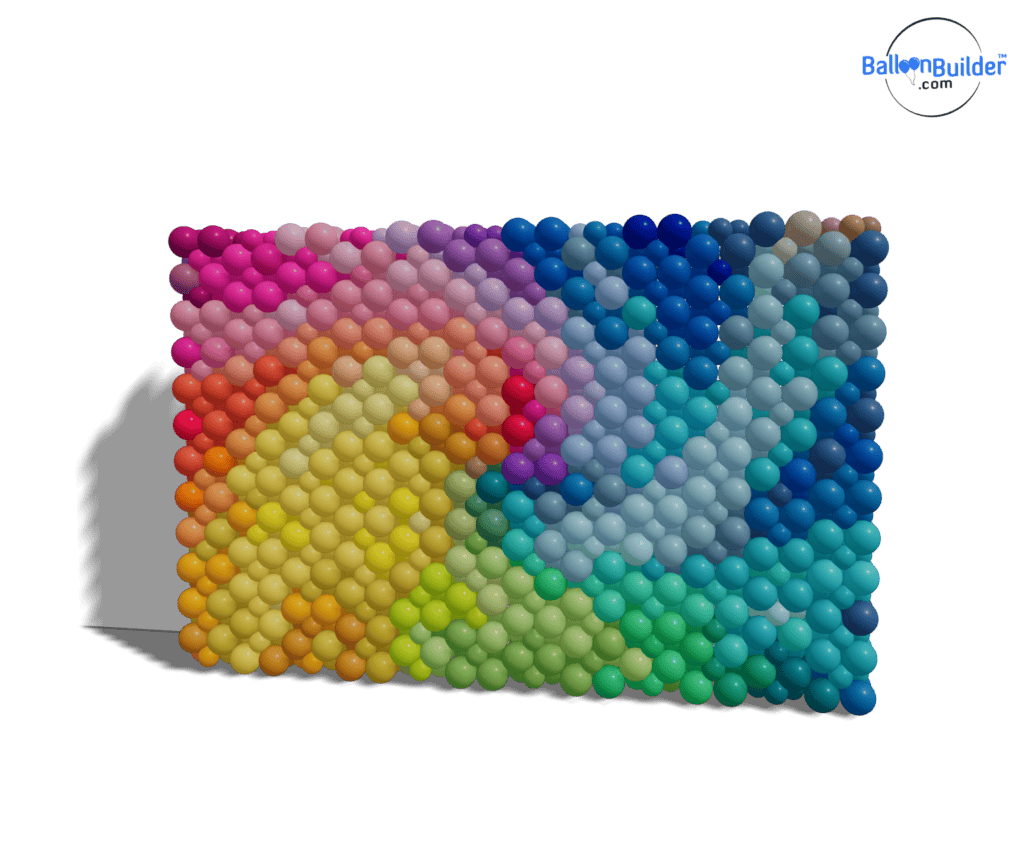
Balloon Wall Designer — 3D Wall, Backdrop & Tunnel Design Tool
The only graphical balloon wall designer with real-time 3D rendering. Design link balloon walls, organic walls, foil balloon walls, graphical balloon murals, and walk-through tunnels — all in your browser. Choose from 11 wall types, paint individual balloons, and export production-ready material lists in seconds.
Trusted by industry-leading balloon decorators worldwide.
Start Free Trial →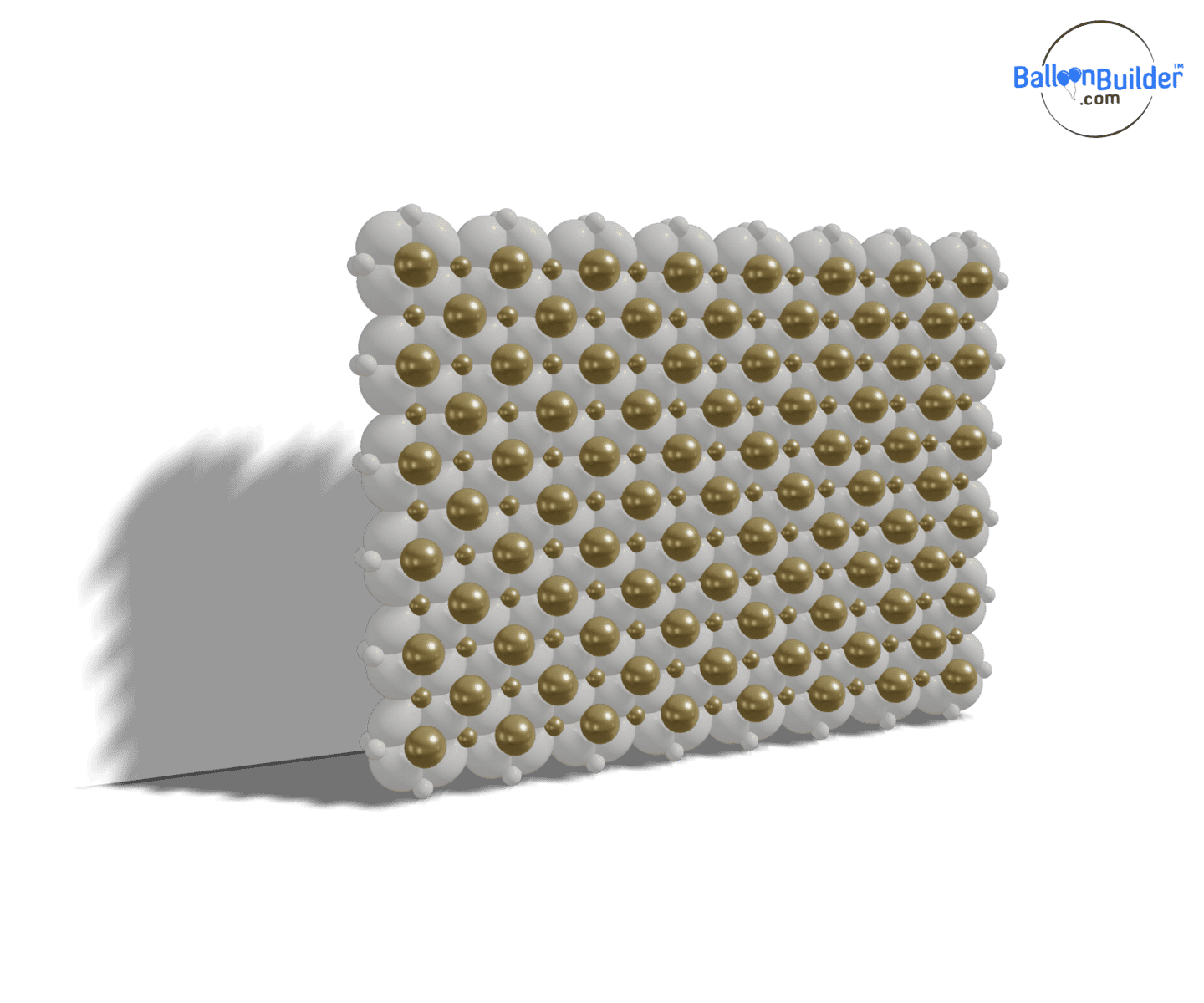
Why BalloonBuilder’s Balloon Wall Designer Stands Alone
Other balloon wall tools offer a visual grid editor, but none of them include a live 3D preview. Here’s what makes BalloonBuilder the industry’s most powerful balloon wall planner.
🏗️ The ONLY Wall Designer with 3D Preview
Other tools offer a 2D grid editor — BalloonBuilder adds full real-time 3D rendering on top. See your entire wall from every angle before you build it. No other balloon wall software offers this.
🧱 11 Wall Types
From classic link balloon grids to organic walls, foil balloon walls, and plus-link patterns — BalloonBuilder covers every wall construction method professional decorators need.
🚇 Tunnel Mode — Walk-Through Balloon Tunnels
Convert your wall designs into stunning walk-through balloon tunnels. A Full-plan exclusive that no competitor offers. Perfect for weddings, corporate events, and grand openings.
📸 Auto Color Mapping from Photo
Upload any reference image — an event mood board, a brand logo, or an inspiration photo — and BalloonBuilder automatically maps real-world balloon colors to your wall design.
All 11 Balloon Wall Types
BalloonBuilder’s balloon wall designer includes 11 distinct wall construction modes. Six basic types are available on all plans; five advanced types unlock on Pro and Full.
Basic Wall Types — Entry, Pro & Full
Link Balloon Grid (12″)
The classic link balloon wall — a uniform 12″ grid that creates a clean, professional backdrop. The most popular wall style for events.
Link Balloon X Pattern
An interlocking X pattern using link balloons. Creates a denser, more textured wall appearance with a woven visual effect.
Alternate Size Pack
Alternating balloon sizes in each row for a dynamic, layered look. Adds visual depth without increasing complexity.
Alternate Size Pack (90°)
The same alternating size pattern rotated 90 degrees — columns instead of rows alternate in size for a different visual rhythm.
Duplet Square Pack
Pairs of balloons arranged in a square packing pattern. Efficient use of balloons with a clean, tight grid.
Duplet (90°)
Duplet square pack rotated 90 degrees. Gives a different visual orientation while using the same efficient packing method.
Advanced Wall Types — Pro & Full
12″ & 6″ Grid
Uses both 12″ and 6″ link balloons. The smaller 6″ links connect the 12″ layers, eliminating the gaps between them and producing a noticeably smoother surface.
12″ & 6″ Grid (90°)
The mixed-size grid rotated 90 degrees — same 12″ and 6″ combination with a different directional flow.
Plus Link Wall
A wall constructed with plus-link balloons (4-way connectors) for a unique geometric pattern unlike standard link walls. This design was originally created by Colin Myles.
Foilballoon Wall
Design walls entirely from foil balloons. Perfect for high-shine metallic backdrops and premium installations.
Organic Wall
A free-form wall style that mimics the look of organic balloon garlands — varied sizes and random placement for a natural, flowing aesthetic.

Organic Wall (Pro/Full)
Link Balloon X Pattern (Entry)
Balloon Tunnel Mode — Walk-Through Balloon Tunnels
Convert Walls into Stunning Walk-Through Tunnels
BalloonBuilder’s tunnel mode is a feature no other balloon wall software or balloon wall calculator offers. Take your wall designs and convert them into immersive, walk-through balloon tunnels — all within the same designer.
- ✓ Convert link balloon walls, foil balloon walls, and organic walls into tunnels
- ✓ Adjust tunnel depth, curvature, and walkway width
- ✓ Full 3D preview — walk through your tunnel design before building
- ✓ Ideal for weddings, corporate entrances, grand openings, and photo-op installations
- ✓ Unique feature — no other balloon design tool offers balloon tunnel creation
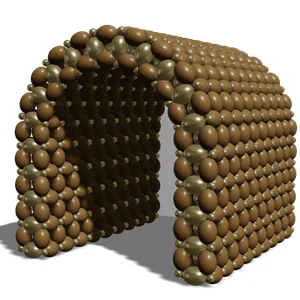
Latex balloon tunnel
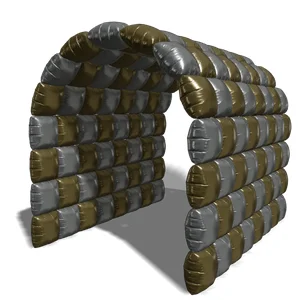
Foil balloon tunnel
Auto Color Mapping — Turn Any Photo into a Balloon Mural
Upload an Image, Get Matching Balloon Colors
Stop guessing which balloon colors match your client’s event theme. BalloonBuilder’s auto color mapping lets you upload any reference photo or image and automatically maps the dominant colors to your balloon wall design — using real-world balloon colors.
- ✓ Upload any reference photo, mood board, or brand logo
- ✓ BalloonBuilder automatically maps colors to your balloon wall grid
- ✓ Perfect for matching brand colors, event themes, or recreating inspiration images
- ✓ Uses real-world balloon colors from Tuftex, Sempertex, and Kalisan
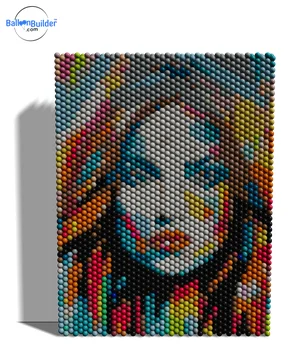
Auto color mapping works with all balloon wall designs — takes just seconds to create
Double Wall — Freestanding Balloon Backdrops
Two-Sided Balloon Walls — Independent Designs on Each Side
Some balloon wall types can be created as partially or fully two-sided designs. For example, with a Duplet Square Pack wall, you can design a completely independent image on each side of the wall — no need for manual planning or guesswork.
BalloonBuilder generates clear building instructions that show each balloon duplet individually, so your build team knows exactly which colors go where on both sides. No confusion, no building mistakes.
- ✓ Design independent patterns or images on the front and back of the wall
- ✓ Per-duplet building instructions eliminate confusion during installation
- ✓ Freestanding balloon backdrops that look great from every angle
- ✓ Room dividers, aisle walls, and trade show booth walls visible from both sides
How the Balloon Wall Designer Works
Design professional balloon walls in three simple steps — from choosing your wall type to sharing with clients.
Choose a Wall Type & Set Size
Select from 11 wall types. Set the number of columns and rows to define your wall size. Actual dimensions are shown live on the 2D view — fine-tune by adjusting the balloon size for any latex wall.
Paint Colors & Preview in 3D
Click individual balloons to assign colors. Use color patterns or auto color mapping. See your wall in real-time 3D as you design.
Export & Share
Export hi-res images (PNG, WebP, SVG), material lists with balloon counts, and share designs directly with your clients. Building instructions can be exported in multiple views — for example, duplet walls can show each duplet clearly, the front side only, or an exploded view with each column or row separated for easy building.
Why Professionals Choose BalloonBuilder’s Balloon Wall Designer
See how BalloonBuilder compares to other approaches for designing balloon walls.
BalloonBuilder vs Other Wall Design Tools
Graphical wall planning tools have been around for years, but most of them only offer manual coloring — block paint or clicking each balloon individually. BalloonBuilder takes wall design to the next level with shape paint tools (circles, squares, hexagons, stars) for quickly coloring groups of balloons, full real-time 3D preview, and automated building instruction exports. The fastest workflow: upload a reference photo, adjust wall size and image position, and click auto map — BalloonBuilder automatically colors thousands of balloons and generates building instructions in one click. See the full plan comparison →
BalloonBuilder vs Manual Grid Paper
Stop drawing walls on graph paper and guessing balloon counts. BalloonBuilder’s balloon wall planner lets you design faster, more accurately, and show clients exactly what they’ll get — in professional 3D renders they can approve before you build.
Balloon Wall Designer Features
Everything you need to design, visualize, and produce professional balloon walls and balloon backdrops.
Balloon Wall Designer — Video Tutorial
Watch how to design a balloon wall from scratch in BalloonBuilder. See the graphical grid editor, 3D preview, and export workflow in action.
Want an overview of all BalloonBuilder features? Watch the full overview video → | Browse all tutorials →
Balloon Wall Designer — Pricing
All plans include the graphical wall designer with real-time 3D rendering, watermark-free exports, and automatic material lists. Choose the plan that fits your wall design needs.
🎯 Entry
6 wall types (all basic link balloon & duplet modes). Full exports, all color patterns.
Start Free Trial🎨 Pro
All 11 wall types + double wall + foil & organic walls. Spot lights, 3D backgrounds.
Start Free Trial💎 Full
Everything in Pro + tunnel mode + auto color mapping from photo. Custom user patterns.
Start Free TrialSave 25–33% with annual billing. 14-day free trial with 1 hour Full plan access to test all features — no credit card required.
See full pricing comparison → | Columns & Arches designer →
Balloon Wall Designer — Frequently Asked Questions
Do I need to buy separate subscriptions for walls, arches, columns, and garlands?
No! A single BalloonBuilder subscription unlocks the complete design suite. Every account gets full access to the Balloon Wall Designer, Arch Designer, Column Designer, and Organic Garland Designer. Only SceneBuilder (the 3D venue mockup creator) is available as an optional studio upgrade.
What is a balloon wall designer?
A balloon wall designer is a software tool that lets you plan, visualize, and design balloon walls digitally before building them. BalloonBuilder is the only balloon wall designer that offers a graphical grid editor with real-time 3D rendering — letting you click to color individual balloons, choose from 11 wall types, and export production-ready material lists and images. It replaces manual calculations and graph-paper planning with a professional, visual balloon wall planner.
How many balloons do I need for a balloon wall?
The number of balloons depends on the wall type, wall dimensions, and balloon sizes. BalloonBuilder’s balloon wall calculator handles this automatically — set your wall width and height, choose a wall type, and the software generates an exact balloon count in the material list. Stock calculations focus 100% on balloons required for your build. For quick estimates without a subscription, try our free balloon calculator.
What is a balloon tunnel?
A balloon tunnel is a walk-through balloon installation shaped like a tunnel or archway corridor. Guests walk through it, surrounded by balloons on all sides. In BalloonBuilder, tunnel mode converts your flat wall designs into 3D tunnel structures — available for link balloon walls, foil balloon walls, and organic walls. It’s a Full-plan exclusive feature and no other balloon wall software offers it. Balloon tunnels are perfect for wedding entrances, corporate event walkways, and grand opening installations.
Can I design organic balloon walls?
Yes. BalloonBuilder includes an organic wall mode that creates free-form, varied-size balloon walls with a natural, flowing aesthetic. Organic walls are available on Pro and Full plans. Unlike structured link balloon walls, organic walls use randomized balloon sizes and placement to mimic the look of an organic garland applied as a flat wall or backdrop.
Can I design a balloon mural with BalloonBuilder?
Yes. A balloon mural is a wall-mounted balloon artwork that reproduces an image, logo, or pattern in balloons — and this is exactly what the graphical wall designer was built for. Upload your photo, set the wall size, and auto color mapping colors thousands of balloons to recreate the image. Then fine-tune with the shape paint tools, preview the mural in real-time 3D, and export building instructions as balloon mural software should — with exact counts per color and size.
What’s the difference between BalloonBuilder and other balloon wall tools?
Most competing tools only offer basic balloon wall calculators — they tell you how many balloons you need, but you can’t visually design the wall. BalloonBuilder is the only tool with a graphical grid editor where you click to color individual balloons, choose from 11 wall types, and see the result in real-time 3D. Plus, BalloonBuilder offers exclusive features like tunnel mode and auto color mapping. See the full plan comparison →
Is BalloonBuilder free?
BalloonBuilder offers a 14-day free trial — no credit card required. During the trial, you can activate 1 hour of Full plan access on both the Walls app and the Columns & Arches app to test all features. BalloonBuilder also offers free standalone tools: the Balloon Color Matcher, the Balloon Calculator, the Helium Calculator, and the Quote Builder. Start your free trial →
What types of balloon walls can I design?
BalloonBuilder supports 11 wall types: Link Balloon Grid (12″), Link Balloon X Pattern, Alternate Size Pack, Alt Pack (90°), Duplet Square Pack, Duplet (90°), 12″ & 6″ Grid, 12″ & 6″ Grid (90°), Plus Link Wall, Foilballoon Wall, and Organic Wall. Six basic types are available on Entry; all 11 are available on Pro and Full. On Full, you can also convert many of these into balloon tunnels.
Can I match wall colors to a photo?
Yes — BalloonBuilder’s auto color mapping feature (Full plan exclusive) lets you upload any reference photo, mood board, or brand image. The software automatically maps the dominant colors to your balloon wall grid using real-world balloon colors from Tuftex, Sempertex, Kalisan, and Gemar. You can also extract and compare exact colors for free with our standalone Balloon Color Matcher.
Start Designing Professional Balloon Walls Today
The only balloon wall designer with 3D rendering, 11 wall types, tunnel mode, and auto color mapping. Try it free — no credit card required.
Start Your Free Trial