
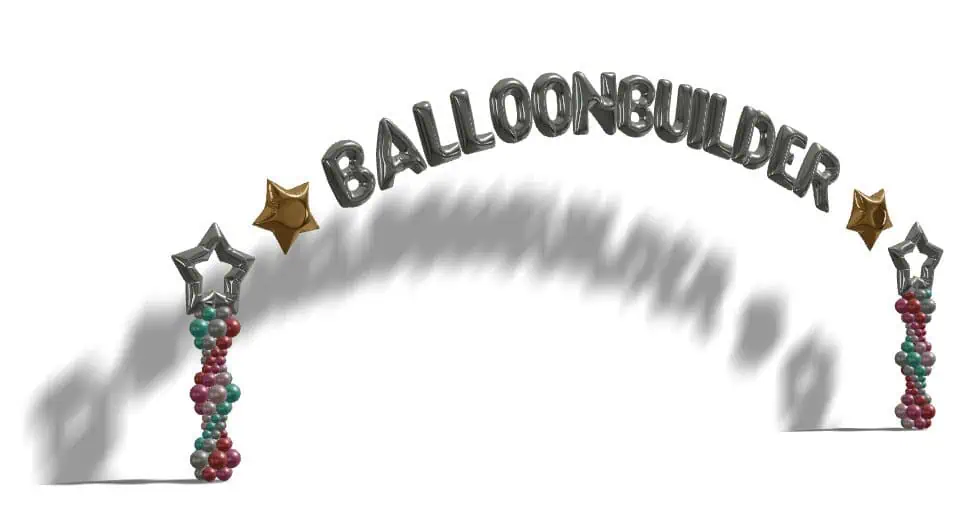
Balloon Arch & Garland Designer — 3D Balloon Arch Maker Software
BalloonBuilder is a 3D balloon arch designer and balloon arch maker for classic arches and organic balloon garlands. Design half-circle arches (180°), 240° arches, 360° full circle arches, U-arches, rainbow arches, foil text arches, demi arches, L-garlands and custom path shapes — all in real-time 3D, right in your browser. Automatic balloon counts, material lists, and watermark-free exports included in every plan.
Trusted by professional balloon decorators worldwide.
Start Free Trial — No Card Required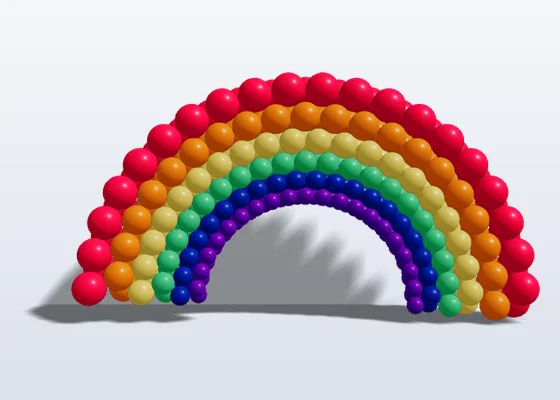
What the Balloon Arch & Garland Designer Does
BalloonBuilder combines professional-grade 3D rendering with intuitive controls that any balloon decorator can use. Whether you’re pricing a simple balloon column or designing a rainbow LOL arch for a corporate event, you see the finished piece in 3D with the balloon count before you inflate anything.
🎯 Real-Time 3D Rendering
See every balloon, color, and size change instantly in full 3D — few other balloon design tools can match this. Rotate, zoom, and inspect your design from every angle before you build it.
🎨 18 Design Modes
From simple columns and half-circle arches to LOL balloons, rainbow arches, foil text, ring columns, and custom path shapes. More modes than any competitor — all with 3D rendering.
🧮 Automatic Balloon Stock Calculation
Stop guessing balloon orders. BalloonBuilder calculates exact balloon stock quantities, sizes, and colors for every design — broken down by brand colors from Tuftex, Sempertex, Kalisan, and Gemar. Stock calculations focus 100% on the balloons required for your build.
🌐 Works in Your Browser
No downloads, no installs. Open BalloonBuilder in Chrome, Firefox, Safari, or Edge on any computer. Start designing balloon arches in seconds.
18 Balloon Arch & Column Design Modes
BalloonBuilder’s balloon column designer and arch tools are organized into three tiers. Every mode includes real-time 3D rendering, color/size pattern controls, and automatic balloon counting. See the full plan comparison for availability by tier.
| Design Mode | Entry | Pro | Full |
|---|---|---|---|
| Basic — Entry Tier (6 modes) | |||
| Column (standard duplet/triplet/quad) | ✓ | ✓ | ✓ |
| Arch — half-circle (180°) | ✓ | ✓ | ✓ |
| Arch 240° | ✓ | ✓ | ✓ |
| Arch 360° (full circle) | ✓ | ✓ | ✓ |
| U-Arch | ✓ | ✓ | ✓ |
| Custom Path / Demi Arch | ✓ | ✓ | ✓ |
| Creative — Pro Tier (7 additional modes) | |||
| LOL Column | — | ✓ | ✓ |
| LOL Horizontal | — | ✓ | ✓ |
| LOL X Column | — | ✓ | ✓ |
| Simple LOL Column | — | ✓ | ✓ |
| Simple LOL Arch | — | ✓ | ✓ |
| Rainbow Arch (duplet) | — | ✓ | ✓ |
| Ring Column | — | ✓ | ✓ |
| Premium — Full Tier (5 exclusive modes) | |||
| Light Column | — | — | ✓ |
| Rainbow LOL Arch | — | — | ✓ |
| Rainbow LOL X Arch | — | — | ✓ |
| 🔤 Foil Text | — | — | ✓ |
| 🌈 Foil Arch | — | — | ✓ |
| Total Modes | 6 | 13 | 18 |
Rainbow Arch (Pro)

Foil Text Arch (Full)
Custom Path Shapes — Design Any Balloon Arch Shape
BalloonBuilder’s Custom Path mode lets you go beyond standard arches. Choose from built-in shape presets or draw your own path freehand — then fill it with balloons automatically. This is the most flexible balloon design tool for creating unique installations.
Built-in presets include: ⭐ Star arch · ❤️ Heart arch · 〰️ S-curve · ◼️ Square arch · Demi arch · Numbers 0–9 (Pro & Full). You can also draw a completely custom path and BalloonBuilder fills it with balloons in your chosen colors, sizes, and patterns.
Custom Path mode is included in every plan (Entry, Pro, Full). Number presets (0–9) and path length control require Pro or Full. See a custom shapes tutorial to learn how it works.
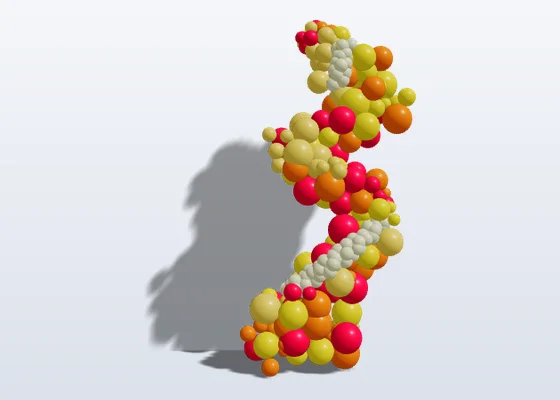
Organic Balloon Garland Designer — Multi-Size Clusters in 3D
Organic mode turns any arch or column into a natural-looking organic balloon garland: mix 5″, 11″, 16″, 24″ and 36″ balloons in real-time 3D, add large accent balloons and exploding starbursts, and get the exact balloon count per size and colour. Design organic demi arches, L-garlands, organic columns and freehand garlands along a custom path.
For organic walls and cluster-by-cluster garlands, the Balloon Wall Designer has the newest, most detailed organic tools. Need a quick count first? The free balloon garland calculator gives balloons per foot for any length.
| Organic Garland Feature | Entry | Pro | Full |
|---|---|---|---|
| Organic Cluster Sizing (5″ to 36″) | |||
| Organic Multi-Size Clusters (5″ & 11″) | ✓ | ✓ | ✓ |
| Large Accent Balloons (16″ & 24″) | ✓ | ✓ | ✓ |
| Jumbo Accent Balloons (36″) | — | ✓ | ✓ |
| Organic Overlay (ArchBuilder & WallBuilder) | ✓ | ✓ | ✓ |
| Garland Styles & Freehand Paths | |||
| Organic Demi Arch & L-Garlands | ✓ | ✓ | ✓ |
| Organic Column / Organic Tower | ✓ | ✓ | ✓ |
| Freehand Custom Path Organic Garland | ✓ | ✓ | ✓ |
| Detailed Organic WallBuilder Mode (Newer Feature) | ✓ (6 modes) | ✓ (11 modes) | ✓ (All modes) |
| Accents & Lighting | |||
| Exploding Starburst Foil Accents | — | ✓ | ✓ |
| Spot Lights & 3D Background Environments | — | ✓ | ✓ |
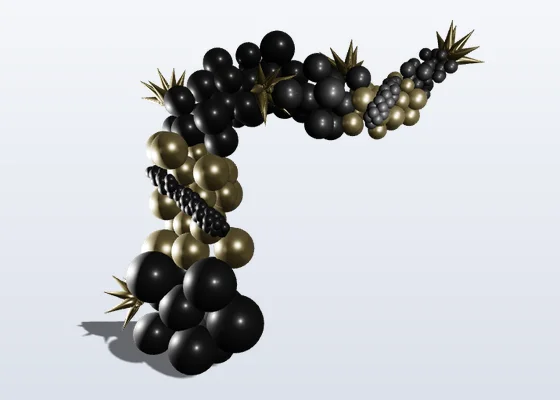
Organic Demi Arch Garland
Organic Custom Path Garland
Watch the organic garlands tutorial to see organic mode in action.
How the Balloon Arch Designer Works — 3 Simple Steps
BalloonBuilder is designed to be fast and intuitive. Most balloon decorators create their first 3D arch design in under 5 minutes.
Choose a Design Mode
Select from 18 modes: column, arch, LOL, rainbow, ring column, custom path, foil text, and more. Each mode opens with smart defaults.
Set Colors, Sizes & Patterns
Pick balloon colors from real-world brand palettes. Choose size patterns, color sequences, organic mode, and toppers — see every change in real-time 3D.
Export & Share
Export everything at once from a single window: hi-res 2D renders (PNG, WebP, SVG), 3D models (GLB), and complete materials & building instructions — all watermark-free, ready to share with clients or your build team.
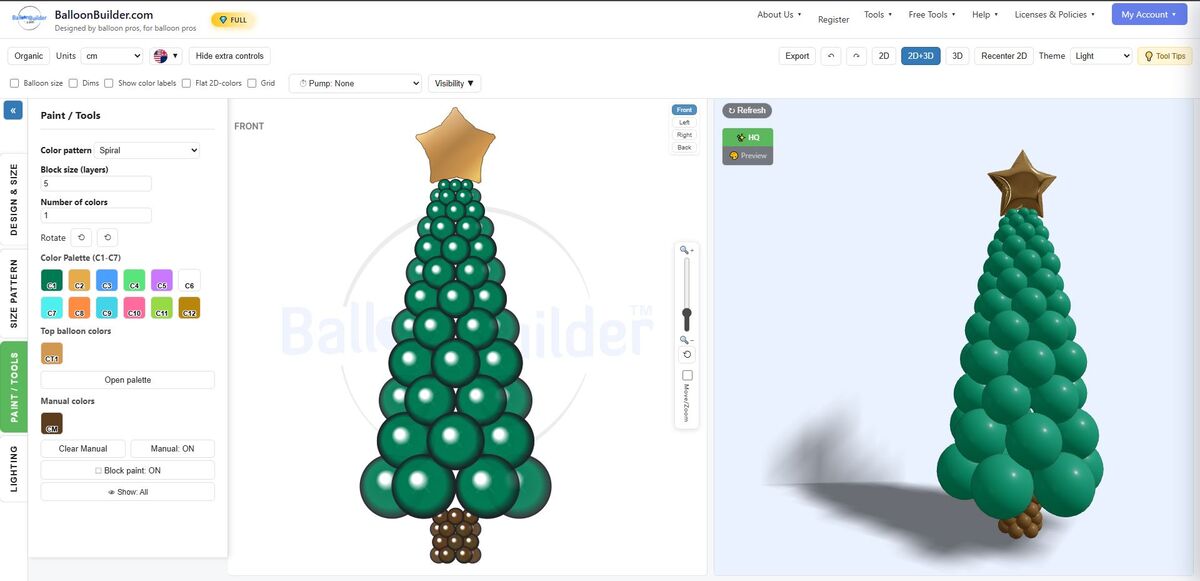
The BalloonBuilder interface: design controls on the left, real-time 2D+3D preview on the right
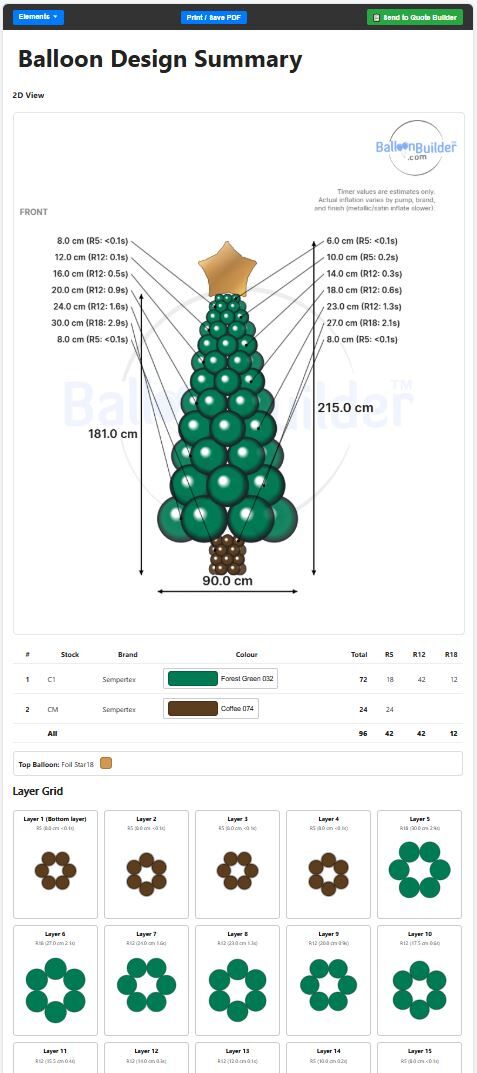
Export view: 2D diagram with dimensions, material list with exact balloon counts, and layer-by-layer build guide
From 3D Design to Real Balloon Sculpture
BalloonBuilder’s 3D preview gives you an accurate representation of the final result — so you can confidently present to clients before ordering a single balloon.
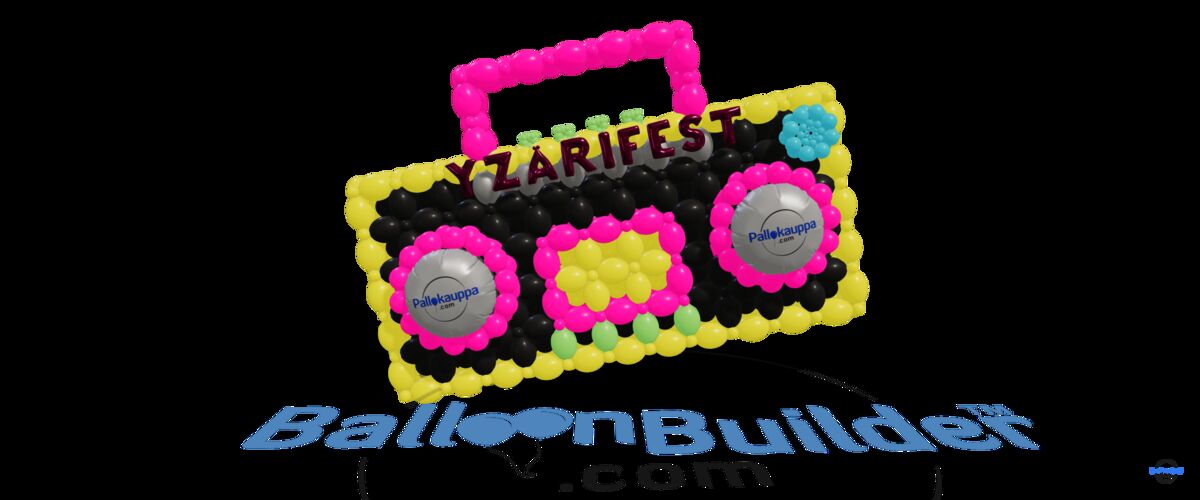
BalloonBuilder 3D plan
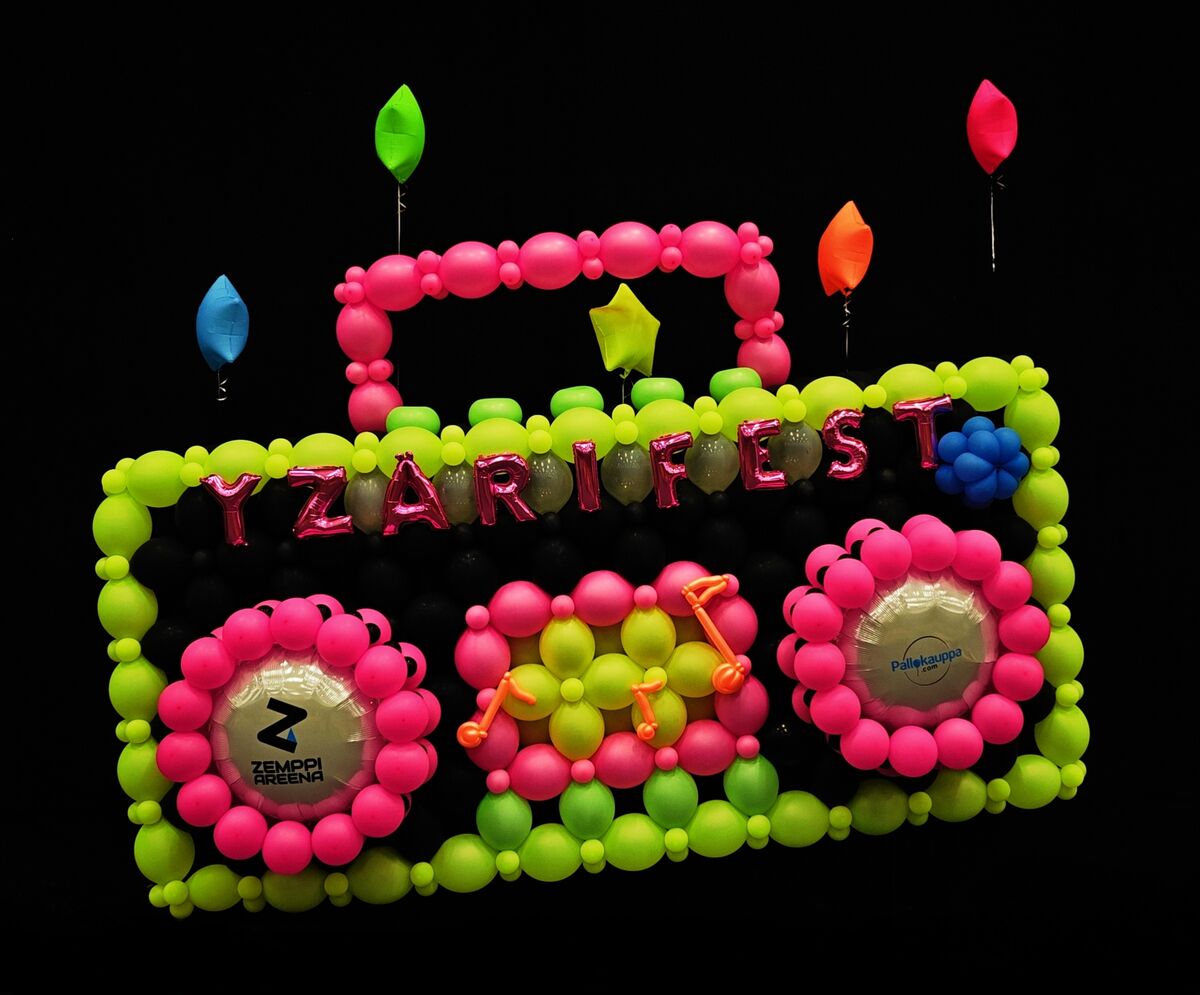
The finished balloon sculpture
Why Professionals Choose BalloonBuilder Over Other Tools
There are several balloon design software options on the market. Here’s how BalloonBuilder compares — based on publicly available features. For a full breakdown, see our pricing and feature comparison.
BalloonBuilder vs Other Balloon Design Software
BalloonBuilder offers more column and arch design modes than any other balloon design software on the market — and every single mode is available in both 2D and real-time 3D. Other tools may offer basic arch or column calculators, but none match BalloonBuilder’s combination of 18 design modes, organic garlands, LOL balloons, custom path shapes, foil text, and full 3D visualization. Try the free balloon calculator to get started.
BalloonBuilder vs Manual Planning
Stop guessing balloon counts and wasting inventory. BalloonBuilder calculates exact quantities, dimensions, and material lists automatically for every design — broken down by brand, color, and size. No spreadsheets, no formulas, no surprises on event day.
BalloonBuilder vs Other 3D Balloon Tools
Some competitors offer basic 3D arch visualization. BalloonBuilder goes further with organic garland modes, LOL balloons, custom path shapes, foil text, auto color mapping, tunnel designs, and a wider range of export formats including GLB 3D models and material lists.
What You Get With BalloonBuilder’s Balloon Arch Designer
Every BalloonBuilder subscription includes a powerful set of design, rendering, and export tools. Here’s a summary of the key features available in the Columns & Arches app.
| Category | Features Included |
|---|---|
| 🖥️ Rendering | Real-time 3D + 2D split view with camera controls (orbit, pan, zoom) |
| 🎨 Color Patterns | Spiral, layered, alternating, random, custom sequences — with Tuftex, Sempertex & Kalisan brand colors |
| 📐 Size Patterns | Uniform, alternating, random, graduated, and manual layer editing (Pro+) |
| 🫧 Organic Mode | Multi-size clusters, large accents, garland chains & exploding stars (tier-dependent) |
| 🎀 Toppers | Latex top balloons, 36″ foil stars, hearts, and foil numbers (26″/40″ in Pro+) |
| 📤 Unified Export | Export 2D renders (PNG, WebP, SVG), 3D models (GLB), and materials & building instructions — all from a single export window, watermark-free |
| 📋 Material List | Exact balloon counts by color, size, and brand — included in the unified export as PDF or copy to clipboard |
| 🧊 3D Model Export | GLB files included in the unified export — show clients in 3D viewers or AR apps |
| 💡 Lighting | Sun & environment lighting (all plans), spot lights & 3D backgrounds (Pro+) |
| 💾 Save / Load | Save designs to your account, reload and edit later — includes undo/redo |
BalloonBuilder also includes a separate Balloon Wall Designer app with 11 wall modes (including link balloon grids, foil walls, organic walls, and tunnel mode). Want to create full event previews? See the Balloon Mockup Creator.
Balloon Arch Designer Tutorials — Watch & Learn
These video tutorials show you exactly how to use BalloonBuilder’s 3D balloon design tools. More tutorials are available on the tutorials page.
🎬 More tutorials: Custom Shapes · All Tutorials →
Balloon Arch Designer — Pricing Plans
BalloonBuilder offers three subscription tiers. 14-day limited free trial, including a 24-hour trial of every plan (Entry, Pro and Full) to test all features. No credit card required. See the full pricing page for annual discounts and a detailed feature comparison.
Prices shown are monthly. Save 25–33% with annual billing. Compare all plans → · Also available: Balloon Wall Designer
Free Balloon Tools — No Subscription Required
Not ready to subscribe? BalloonBuilder offers free tools you can use right now — no account needed.
🎨 Color Matcher
Match client photos, logos, and mood boards to exact latex balloon shades across Sempertex, Kalisan, Tuftex, and Gemar with 3D preview.
Try free →🧮 Balloon Calculator
Calculate exact balloon counts for columns and arches by height and diameter — with real-world brand colors from Tuftex, Sempertex, and Kalisan.
Try free →🎈 Helium Calculator
Calculate helium tank needs and float times for any balloon size. Plan helium orders accurately and reduce waste.
Try free →📋 Quote Builder
Create professional balloon quotes with itemized pricing, labor costs, and PDF export. Impress clients with polished proposals.
Try free →Balloon Arch & Garland Designer — Frequently Asked Questions
Do I need to buy separate subscriptions for arches, columns, garlands, and walls?
No! A single BalloonBuilder subscription unlocks the complete design suite. Every account gets full access to the Balloon Arch & Garland Designer, Column Designer, and Balloon Wall Designer. Only SceneBuilder (the 3D venue mockup creator) is available as an optional studio upgrade.
What is a balloon arch designer?
A balloon arch designer is software that helps balloon decorators plan, visualize, and calculate balloon arches, columns, and garlands before building them. BalloonBuilder is a browser-based balloon arch designer that provides real-time 3D rendering — so you can see exactly how your design will look from every angle, with automatic balloon counts, color breakdowns, and export tools.
Is a balloon arch maker an app or a physical kit?
Both meanings are common. Physical balloon arch kits give you the frame — a balloon arch maker app like BalloonBuilder gives you the plan: design the arch in real-time 3D, see exact balloon counts by size and color, and export build instructions. Many decorators use both together: design in BalloonBuilder first, then build on whatever frame or kit you already own.
How many balloons do I need for an arch?
It depends on the arch length, balloon size and cluster pattern. For the count, use the free balloon arch calculator: enter the span and balloon size and it gives the number. The designer then adds the material list per size and colour for whatever design you build.
Can I design organic balloon garlands?
Yes. The designer has a dedicated organic balloon garland mode. Toggle organic mode on any column or arch to add multi-size clusters (5″ to 36″), large accent balloons, garland chains, and exploding stars. The material list breaks down exact counts per size and color. See organic balloon garlands above.
Can I build custom organic garlands in both ArchBuilder and WallBuilder?
Yes. Custom garlands can be created in both ArchBuilder and WallBuilder. WallBuilder has the newest organic functionality, a more detailed approach that gives decorators the most freedom when designing custom organic garlands and organic walls.
What foil accents are available in organic garland mode?
Exploding starbursts are available as foil accents in organic garland mode.
What’s the difference between BalloonBuilder and other balloon design tools?
BalloonBuilder offers more design modes than any other balloon design software — 18 column and arch modes, all available in both 2D and real-time 3D. While other tools may offer basic arch or column calculators, none match BalloonBuilder’s combination of organic garlands, LOL balloons, custom path shapes, foil text, and full 3D visualization with automatic balloon counting. For a full comparison, see our pricing and feature comparison.
Is BalloonBuilder free?
BalloonBuilder offers a 14-day limited free trial on every new account — no credit card required. During the trial, you can start a 24-hour trial of every plan on each app to test all features. Additionally, free standalone tools are available with no subscription: the Balloon Color Matcher, the Balloon Calculator, the Helium Calculator, and the Quote Builder. Paid plans start at $14.90/month. See pricing →
What types of balloon arches can I design?
BalloonBuilder supports 18 design modes for columns and arches: standard columns, half-circle arches (180°), 240° arches, full 360° arches, U-arches, demi arches, custom path shapes (stars, hearts, S-curves, numbers 0–9), LOL columns, LOL horizontals, LOL X columns, simple LOL arches, rainbow arches, ring columns, light columns, rainbow LOL arches, foil text, and foil arches. Each mode works with organic garland overlays.
Can I export my designs for clients?
Yes. Every plan includes watermark-free image exports (PNG, WebP, SVG, hi-res), downloadable material lists with exact balloon counts by color and size, and 3D model files (GLB format) that clients can view in any 3D viewer or augmented reality app. You can also save designs to your account and share links.
Does BalloonBuilder work on mobile?
BalloonBuilder is optimized for desktop and laptop browsers (Chrome, Firefox, Safari, Edge) where you get the full 3D rendering experience. It also works on tablets. For phones, the free tools (balloon color matcher, balloon calculator, helium calculator, quote builder) are fully mobile-friendly.
Start Designing Balloon Arches & Garlands
Plan balloon arches, organic garlands and columns in 3D with the balloon arch maker, and show your client the design before you build it. 14-day limited free trial, including a 24-hour trial of every plan (Entry, Pro and Full). No credit card required.
Start Your Free Trial