
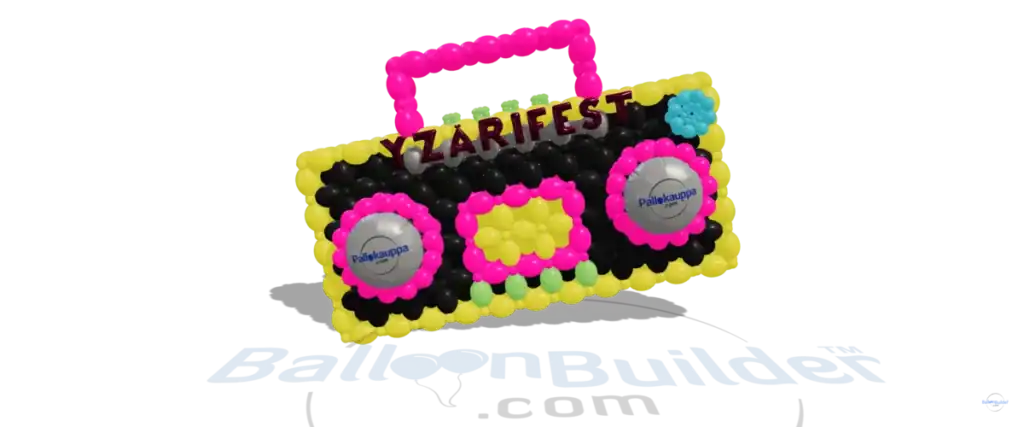
Balloon Mockup Creator — 3D Balloon Design Previews for Clients
The only balloon mockup creator with real-time 3D rendering. Design realistic balloon arches, garlands, walls, and columns — then share polished mockups that close the deal. No Canva templates. No Photoshop. Just your design, rendered in 3D.
Used by professional balloon decorators worldwide.
Start Free Trial →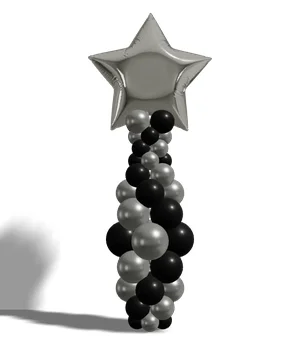
Why 3D Balloon Mockups Beat Static Templates
Static Canva templates got the industry through the early days. But when a client asks “can you make it wider?” or “swap the pink for sage green?” — a flat PNG can’t adapt. A real balloon mockup creator changes the game.
📄 Static Templates (Canva / PSD)
- ✗ Fixed colors — you get what you get
- ✗ One angle, no rotation or zoom
- ✗ Can’t adjust balloon sizes or counts
- ✗ Every decorator uses the same designs
- ✗ No balloon count or materials list
- ✗ $25–$75 per template pack
🖥️ BalloonBuilder Mockup Creator
- ✓ Unlimited colors — match any palette
- ✓ Rotate, zoom, view from any angle
- ✓ Adjust every balloon size and position
- ✓ Every design is unique to your client
- ✓ Auto-generated balloon counts & shopping list
- ✓ Unlimited mockups from $14.90/mo
Template packs are one-and-done. You pay $50 for a set of arches and you’re stuck with those exact designs. With BalloonBuilder’s balloon mockup creator, a single subscription gives you unlimited designs — customized for every client, every event, every color palette.
Balloon Mockup Types You Can Create
Every major balloon structure, one balloon mockup creator. BalloonBuilder includes over 30 design modes — 18+ columns, arches & garlands and 11 wall types — across two apps.
🌈 Organic Arches & Garlands
Full arches, half-arches, doorway framing, and flowing organic garlands with mixed sizes. The most-requested balloon mockup type.
🧱 Balloon Walls & Backdrops
Link balloon grids, X-patterns, organic walls, foil walls, and more. Plus walk-through balloon tunnels (Full plan).
🏛️ Columns & Pillars
Spiral, stacked, linked, and organic columns. Perfect for stage flanking, entrances, and event markers.
🎪 Centerpieces & Ceiling Installs
Table centerpieces, bouquets, ceiling garlands, and helium installations. Every structure you need for full event coverage.
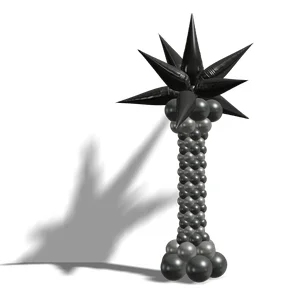
3D Column Mockup
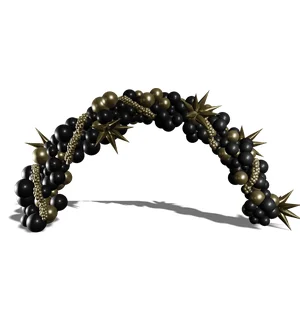
3D Garland Mockup
🎬 SceneBuilder — Full Event Mockups in 3D
Individual balloon structures are just the start. BalloonBuilder’s SceneBuilder lets you arrange multiple balloon designs — arches, columns, garlands, walls — into a single 3D scene. Show clients what their full event will look like before you build a single thing.
Design each balloon sculpture in BalloonBuilder’s design tools (where you get exact balloon counts, material lists, and building instructions), then bring them all together in SceneBuilder to create a complete event visualization. SceneBuilder requires a basic understanding of working in a 3D environment — but no 3D modeling skills, since all the models are either available in the built-in library or created using BalloonBuilder’s design tools (columns, arches, walls, tunnels, etc.).
🎨 Compose Full Event Scenes
Place arches, columns, walls, and garlands into one scene. Position them exactly where they’ll be at the event — flanking a stage, framing a doorway, lining an aisle.
💡 Professional Lighting & Cameras
Add spotlights with full color mixing (RGBWUV), aim them at specific objects, and use depth-of-field camera effects for photorealistic client presentations.
📐 Real-Scale Positioning
Everything is proportional. Set real-world dimensions so clients understand the true size of each installation relative to the room and other decor elements.
🖼️ Client-Ready Scene Exports
Export polished hi-res 3D scene renders to share with clients. Use the individual design tools to export the detailed balloon counts and building instructions for each sculpture.
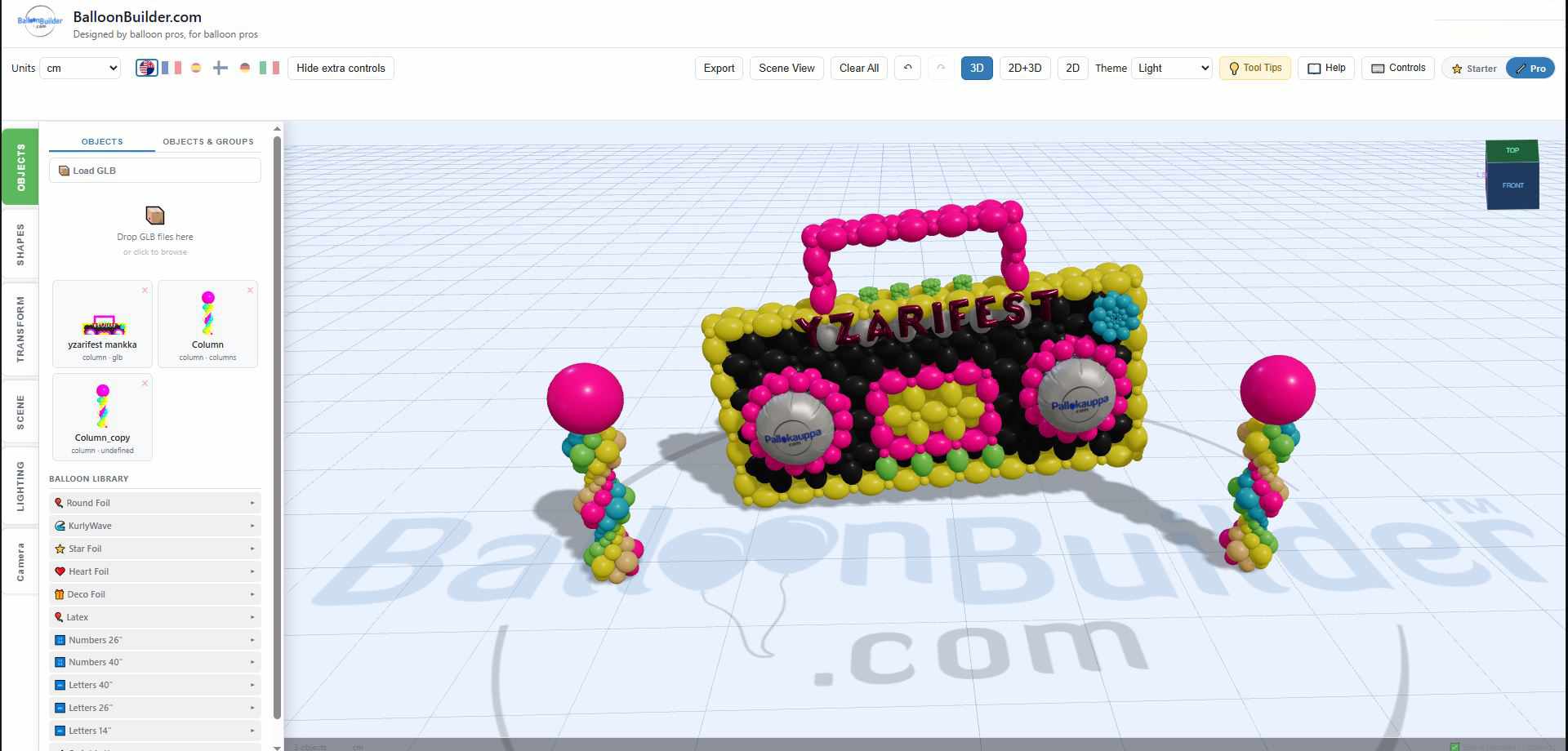
SceneBuilder: combine columns, arches, and themed props into a full event mockup
SceneBuilder is currently free for Full Yearly plan holders — this is a limited-time offer for early adopters. After the introductory period, SceneBuilder will be available as a separate add-on at $59/year (available only for registered BalloonBuilder users), or as a combined Full Yearly + SceneBuilder bundle for $329/year.
Want free access to SceneBuilder? Register on the Full Yearly plan now, then activate SceneBuilder at See plans & pricing →.
Note: SceneBuilder is not included in the free trial.
✨ Shimmer Wall & Backdrop Mockups
Planning a shimmer wall or fabric backdrop for an event? SceneBuilder includes built-in shimmer wall panels, backdrop panels, and fabric drapes — so you can show clients exactly what their event will look like before you rent or buy a single panel.
🪩 Sequin Wall Panels
Mirror, shiny, or matte sequin panels with adjustable tilt. Set the panel grid size, choose colors, and see realistic shimmer in the 3D preview. Standard panels are 30×30 cm (12×12 in) — an 8×4 ft backdrop needs about 32 panels.
🖼️ Backdrop Panels & Arches
Flat panels, rounded arches, and layered multi-panel backdrops in 6 shapes. Add optional ripple texture and image or text overlay for branded events.
🪂 Fabric Drapes
Realistic procedural curtains with Simple Backdrop, Side Drapes, Swag, or Full Setup presets. Adjust width, color, opacity, and fold density.
🎈 Combine with Balloons
Place balloon columns, arches, and organic garlands in front of shimmer walls or backdrop panels. Create complete event mockups with everything positioned to scale.
SceneBuilder backdrop options: shimmer wall panels, wooden & graphical backdrops, and fabric curtains
How the Balloon Mockup Creator Works
No design degree required. If you can pick colors and drag a slider, you can create a balloon mockup that looks like it came from a professional studio.
Choose a Design Type
Pick from over 30 design modes — 18+ columns, arches & garlands and 11 wall types: organic garlands, spiral arches, balloon walls, columns, and more. Each mode gives you specialized controls for that structure.
Customize Colors & Dimensions
Set your client’s color palette using real manufacturer colors or hex codes. Choose balloon sizes, define dimensions, and watch the 3D preview update live.
Export & Share
Export hi-res images (PNG, WebP, SVG, GLB) — 2D renders, 3D models, and materials + building instructions all at once. Material lists exportable as PDF or clipboard. Share with clients via email, present on a tablet, or include in your proposal.
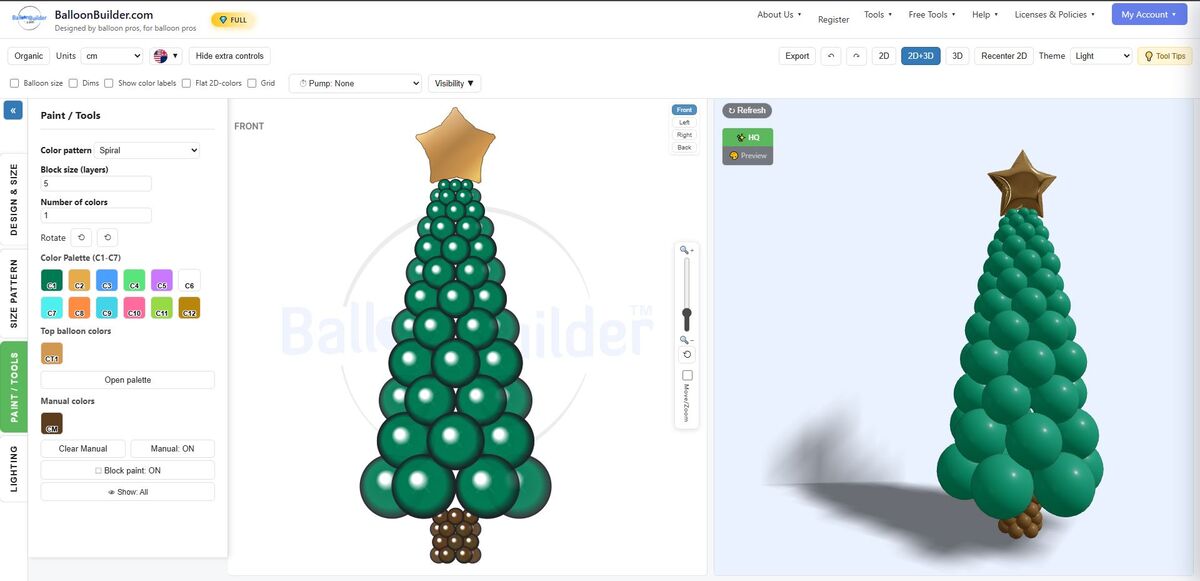
The BalloonBuilder interface: design controls on the left, real-time 2D+3D preview on the right
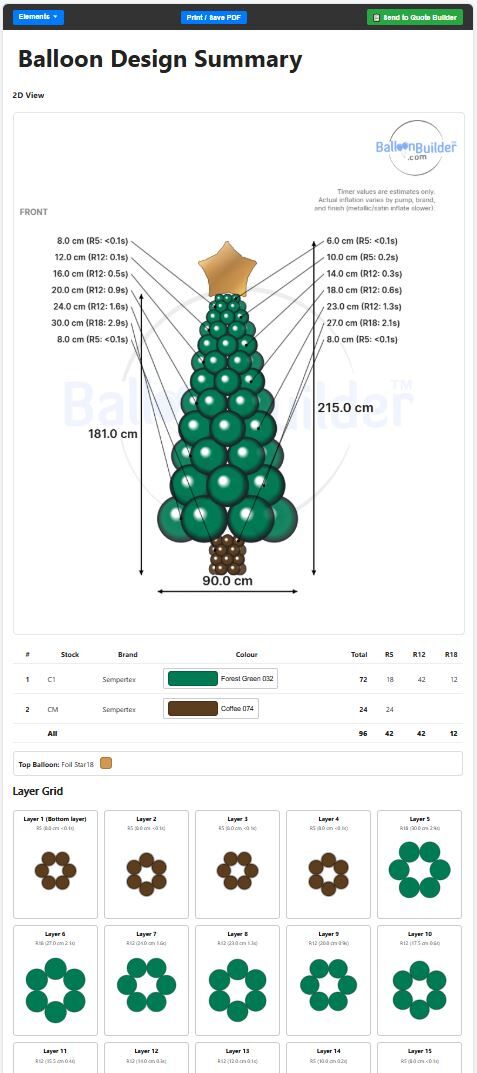
Export view: 2D diagram with dimensions, material list with exact balloon counts, and layer-by-layer build guide
From 3D Design to Real Balloon Sculpture
BalloonBuilder’s 3D preview gives you an accurate representation of the final result — present to clients with confidence.
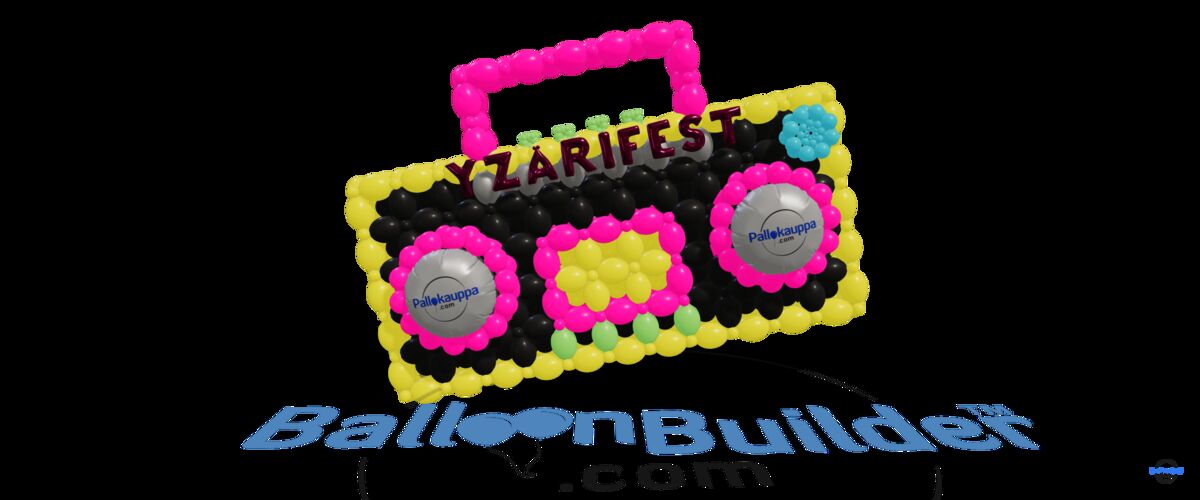
BalloonBuilder 3D plan
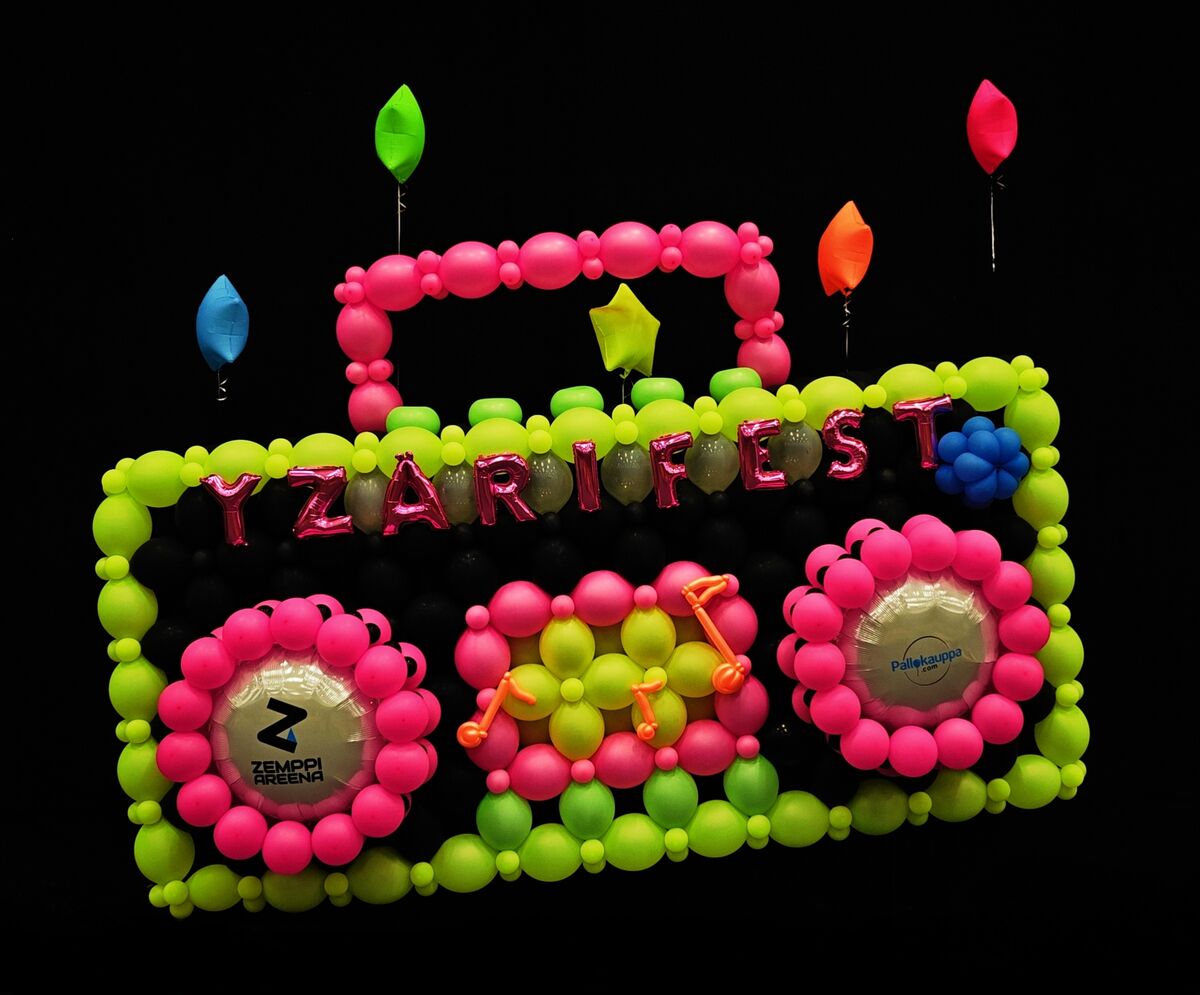
The finished balloon sculpture
Balloon Mockup Creator Features
Everything you need to create, share, and sell professional balloon mockups.
Balloon Mockup Creator — Pricing
All plans include the balloon mockup creator with real-time 3D rendering, unlimited designs, and watermark-free exports.
💎 Full
Every feature. No limits.
Save 25–33% with annual billing. 14-day limited free trial — activate full access for 1 hour during the trial. No credit card required. SceneBuilder is not included in plans or free trial — it is a separate add-on ($59/year, or $329/year bundled with Full Yearly).
See full pricing comparison →
Balloon Mockup Creator — Frequently Asked Questions
Do I need design experience to create balloon mockups?
Not at all. BalloonBuilder is built for balloon professionals, not graphic designers. Pick a design type, choose colors, set dimensions — the software handles the 3D rendering. Most decorators create their first balloon mockup in under 10 minutes.
How is this different from Canva balloon templates?
Canva templates are static images — you can change text and backgrounds, but the actual balloon design is fixed. BalloonBuilder’s balloon mockup creator generates real 3D models where you control every balloon’s color, size, and placement. Plus you get automatic balloon counts and material lists — something no flat template provides.
Can I match my client’s exact brand colors?
Yes. Enter any hex color code, use the color picker, or choose from real manufacturer colors (Tuftex, Sempertex, Kalisan). BalloonBuilder renders balloons with realistic latex shading so your mockup looks close to the finished product.
What file formats can I export?
Export balloon mockups as high-resolution PNG, WebP, SVG, or GLB files. Material lists with balloon counts are exported separately as PDF or clipboard — covering 2D renders, 3D models, and building instructions all at once.
Is BalloonBuilder free?
BalloonBuilder offers a 14-day limited free trial — activate full access for 1 hour during the trial. No credit card required. BalloonBuilder also offers free standalone tools: the Balloon Color Matcher, a Balloon Calculator, a Helium Calculator, and a Quote Builder. Start your free trial →
Can I use BalloonBuilder for walls and tunnels too?
Yes. The Balloon Wall Designer is a separate app included with your subscription. It supports 11 wall types, double-sided walls, foil walls, and walk-through balloon tunnels (Full plan). Both apps are included in every plan.
What is a balloon mockup and why do I need one?
A balloon mockup is a realistic 3D preview of your balloon decoration design — showing your client exactly what the finished installation will look like. Instead of describing your vision or showing someone else’s photos, you present a custom mockup of their event with their colors. Professional mockups help close deals faster and reduce revision requests because clients know exactly what they’re getting.
Can I create shimmer wall and backdrop mockups?
Yes. BalloonBuilder’s SceneBuilder includes sequin wall panels (mirror, shiny, matte finishes), backdrop panels and arches in 6 shapes, and fabric drape presets. Combine them with balloon columns, arches, and garlands to create complete event mockups — all in one tool.
Can SceneBuilder be purchased as standalone software?
No. SceneBuilder (the photorealistic 3D venue visualizer) cannot be purchased as a standalone application. It is available exclusively as an add-on upgrade for Pro and Full BalloonBuilder accounts (or bundled with Full Yearly plans). To access SceneBuilder, simply choose a Pro or Full subscription plan.
Stop Buying Templates. Start Creating Balloon Mockups.
Unlimited 3D balloon mockups, real manufacturer colors, and material lists — from $14.90/month. Try free for 14 days.
Start Your Free Trial