
Your Balloon Designs in a Full 3D Event Scene
SceneBuilder brings the arches, columns, garlands and walls you design in BalloonBuilder into one 3D balloon mockup of the whole event. Add backdrops, shimmer walls, tables and lights, look at it from any angle, place it in the real room with your phone, and export photos and videos for your client.
See SceneBuilder plans → Need a quick mockup on a venue photo? Try Mockup Creator.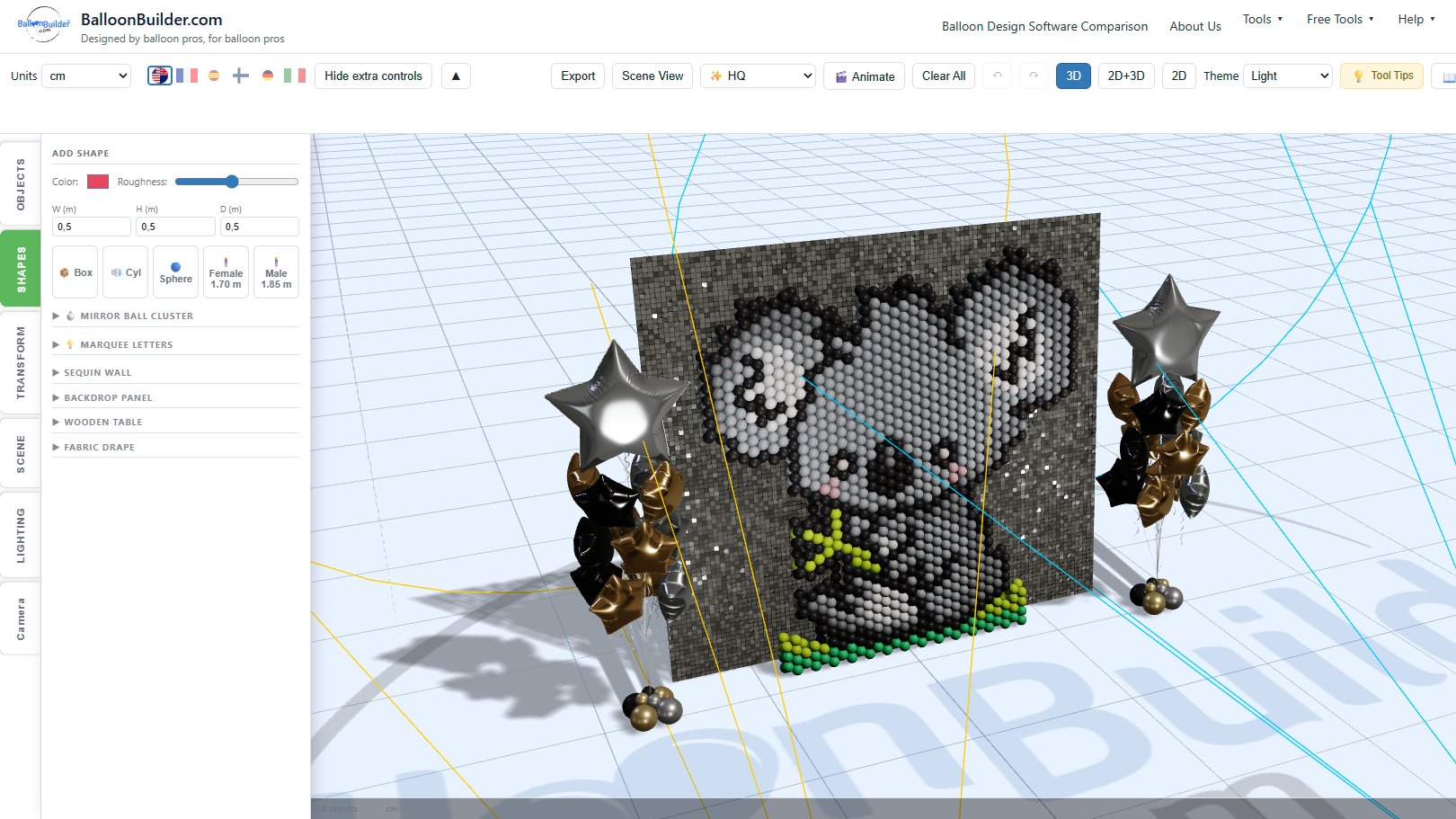
How a 3D Balloon Mockup Comes Together
Each balloon piece is designed in its own app, where you get the exact balloon count, the material list and the build instructions. SceneBuilder is where the pieces meet.
Design the balloon pieces
Build arches, columns, garlands, walls and tunnels in the Columns & Arches and Walls apps, and export each one as a 3D model (GLB).
Compose the scene
Drop the models into SceneBuilder, add foils, letters, mirror balls, backdrops and tables from the built-in library, and place everything at its real size.
Light it and share it
Set the lights, then export a high-resolution picture or an MP4 video, or show the scene in the client’s room with augmented reality.
SceneBuilder needs a little comfort with moving around in 3D, but no 3D modelling: every model comes from the library or from the BalloonBuilder design apps.
🎬 Compose the Whole Event
🎨 Every piece in one scene
Place arches, columns, walls and garlands where they will stand at the event: flanking a stage, framing a doorway, lining an aisle.
📐 Real scale
Everything is in metres or feet, at its true size. Add a 1.70 m or 1.85 m size-reference person so the client sees how big each piece really is.
🎈 Built-in library
Round, star, heart and decorative foils, KurlyWave, latex balloons, 26″ and 40″ numbers, 14″, 26″ and 40″ letters and script letters, ready to place.
🖼️ Pictures for the client
Export high-resolution renders with depth of field and your choice of camera lens. The design apps give you the balloon counts and build instructions for each piece.
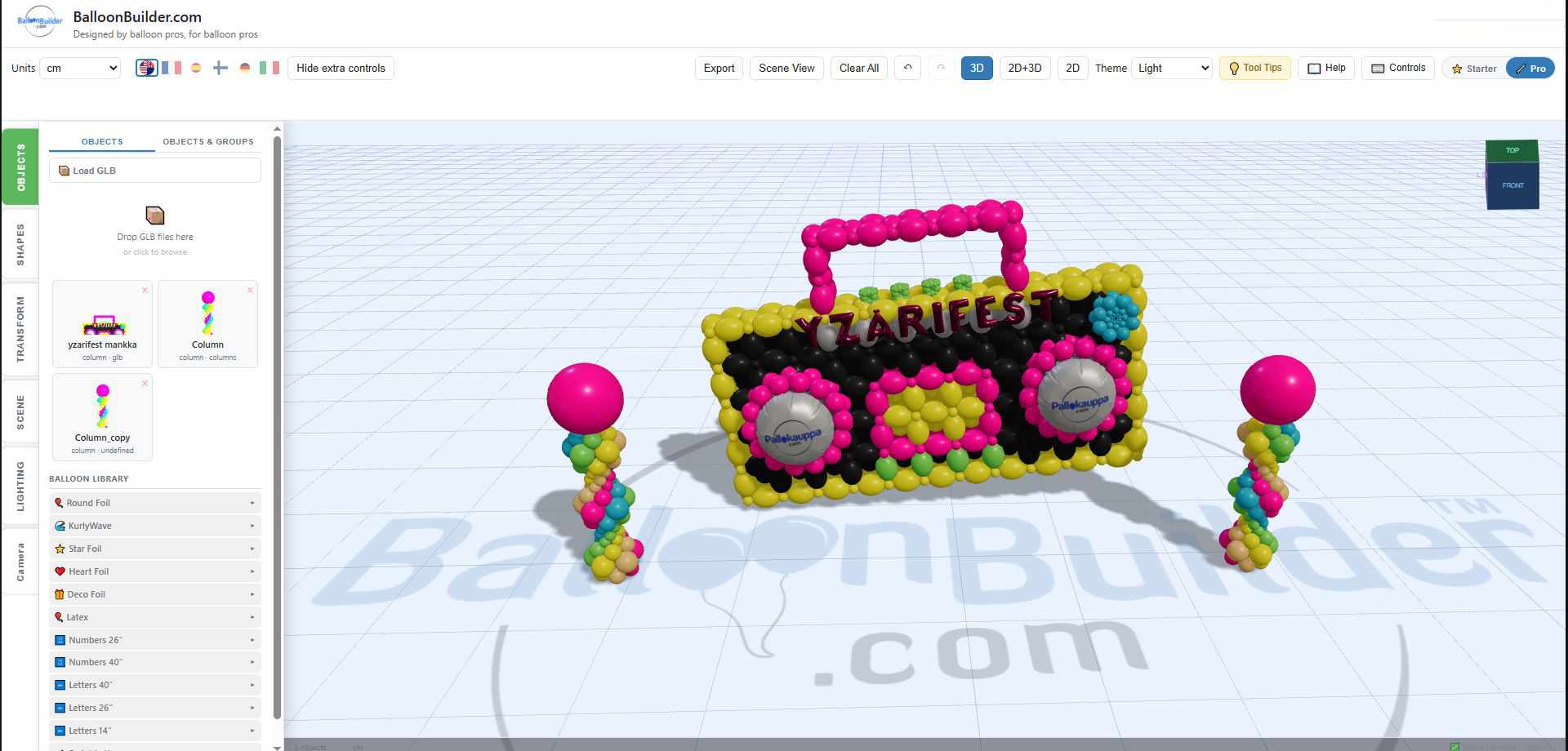
A 90s themed event scene: neon balloon columns and a boombox balloon sculpture
📱 See the Design in the Real Room
A 3D scene is easier to judge when it stands in the actual venue. SceneBuilder can use your phone’s camera in two ways.
📷 Live camera background
Show the camera view behind your scene and line the design up with the real room. Tap Freeze to keep that frame as a still background for your picture.
🥽 AR view on Android
In Chrome on an Android phone, tap the floor to place the whole scene at true scale, then walk around it. Move or turn single pieces, and take a photo of the result.
📏 Measure the venue
In AR, tap the corners of the room to save a floor plan in your scene, and measure heights such as the ceiling, a doorway or a beam before you design to them.
🎉 Balloon drop in AR
Start a balloon drop in the AR view and watch the balloons fall into the real room.
🎥 Videos of Your Balloon Mockup
A short video shows a design better than a still picture, and it is easy to share on social media or send to a client. SceneBuilder records straight to an MP4 file.
🔄 Camera moves
Orbit 360°, sweep, spiral in, dolly in, crane rise, or a static camera. Every move starts from the view you set.
🎈 Build-up animations
Let the balloons appear object by object, from the bottom up, from the inside out or at random, and pop in, rise up or drop and bounce into place.
💡 Light moves
Sun sweep, lights fading on, spotlight sweeps, pulses, colour cycles, a party mode, and a cinematic light rig with haze and light beams.
📐 Sizes for every channel
Square (1080 or 1440), vertical 9:16 for Reels and Stories, or 16:9 landscape, at 30 or 60 frames per second, up to 60 seconds long, with or without your logo.
🎊 Balloon Drop Simulation
Planning a balloon drop? SceneBuilder fills a drop net and lets it go inside your scene, with your lights and your design around it, and records it as a video.
🕸️ Net and release
Choose a tube net with netted ends or a standard flat net, in clear monofilament or black, and release it from the left, the right or the centre.
🎈 Your balloon mix
Mix latex sizes and 18″ or 36″ foils in your own colours. The result tells you how many balloons of each type actually fit in the net.
A balloon drop over LOVE marquee letters, recorded in SceneBuilder
💡 Lighting Effects
🔦 Spotlights with shadows
Add spotlights with full colour mixing (RGBWUV) and aim them at single pieces. Balloons, foils and tunnels cast real shadows from the spots.
🟣 UV light
Switch on UV light to preview a glow party or a neon theme.
✨ LED bubbles
LED bubble balloons designed in the Columns & Arches app keep their glowing lights in the scene.
☀️ Sun, sky and ambient light
Set the main light, the ambient fill and an HDR environment, from a bright daytime look to an evening event.
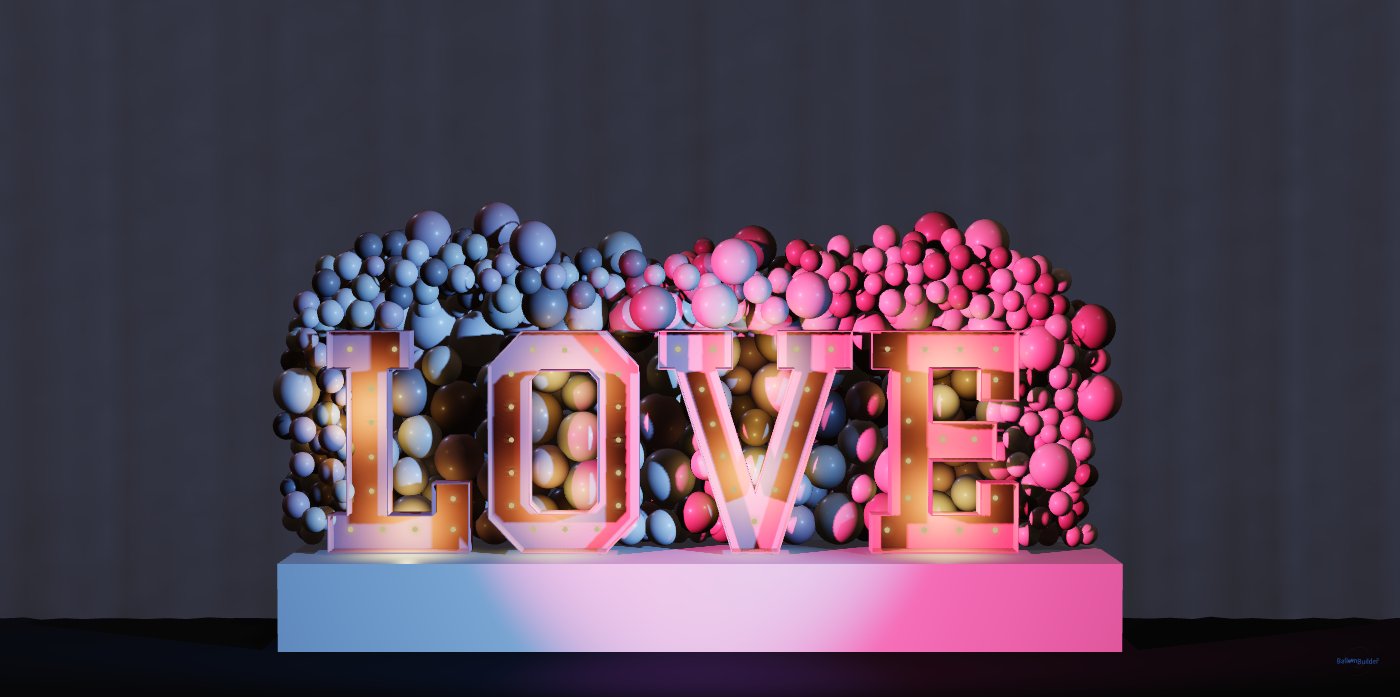
Pink and blue spotlights crossing over LOVE marquee letters and an organic balloon wall
✨ Shimmer Walls, Backdrops and Tables
SceneBuilder includes the event pieces that usually stand next to the balloons, so you can show the client the whole setup before you rent or buy anything.
🪩 Sequin wall panels
Mirror, shiny or matte sequin panels with adjustable tilt. Standard panels are 30×30 cm (12×12 in), so an 8×4 ft backdrop needs about 32 panels.
🖼️ Backdrop panels
Flat panels, rounded arches and layered backdrops in six shapes, with an optional ripple texture and your own image or text on them.
🪵 Wooden tables
Column tables and blade tables with curved, butterfly or straight blades. Set the height, the top and the base, and pick a wood: birch plywood, oak, ash, maple, pine, walnut or whitewashed. Backdrop panels use the same woods, or paint them any colour.
🪡 Fabric drapes
Curtains with Simple Backdrop, Side Drapes, Swag or Full Setup presets. Adjust the width, colour, opacity and fold density.
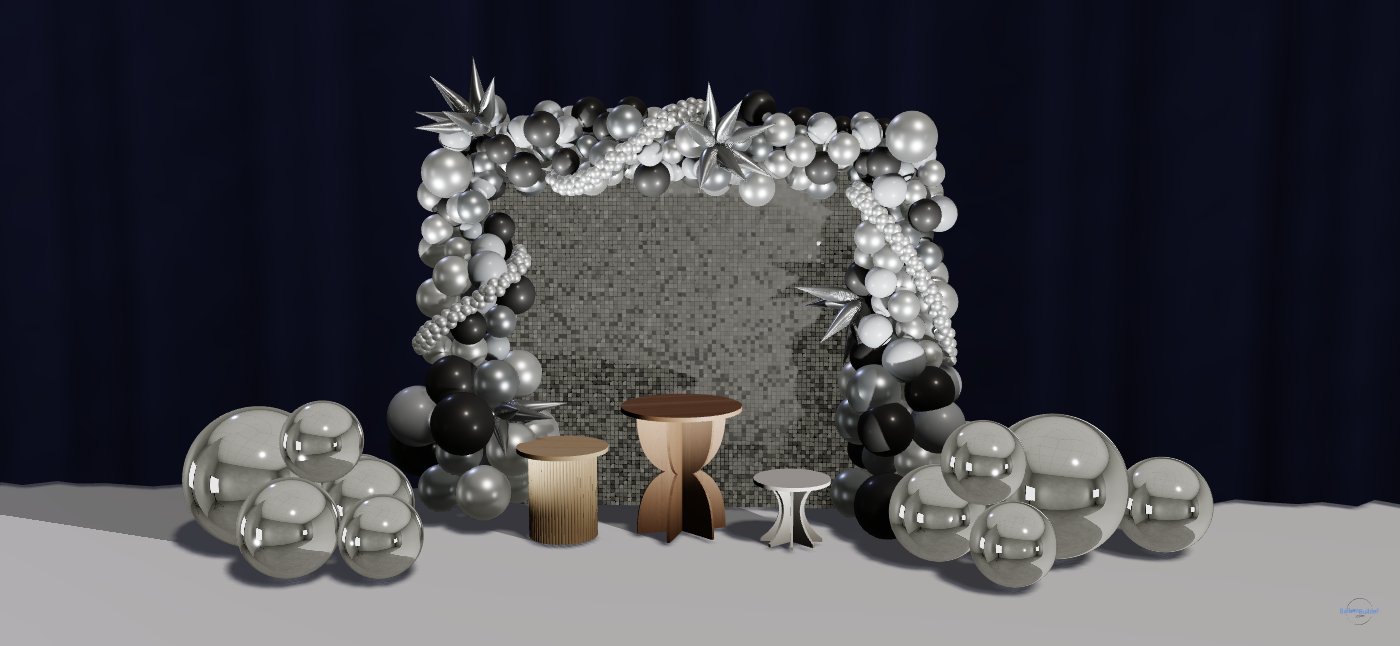
A sequin wall and organic arch with walnut, oak and whitewashed tables and two mirror ball clusters
SceneBuilder backdrops: shimmer wall panels, wooden and printed backdrops, and fabric curtains
🪩 Mirror Ball Mockups
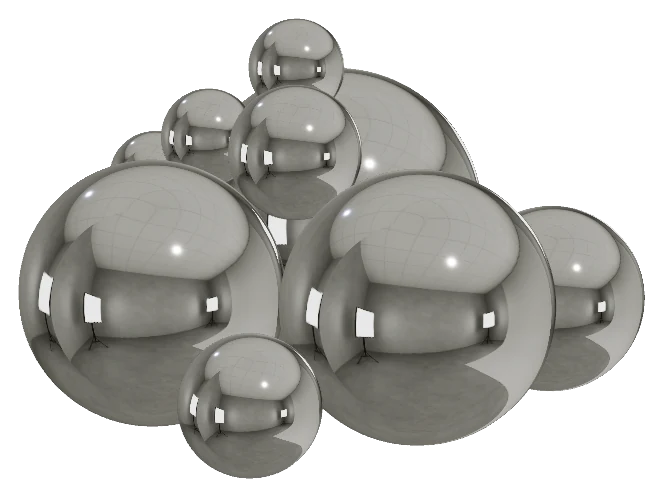
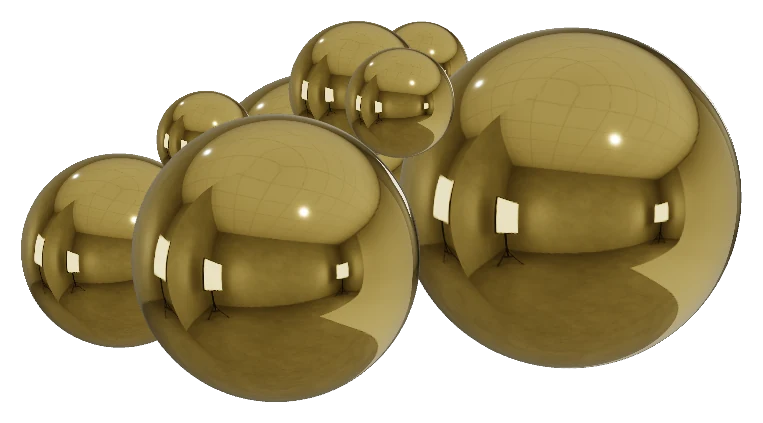
Mirror balls are built into SceneBuilder’s library. Place them next to balloon garlands, shimmer walls and backdrops to show your client how the whole setup looks together.
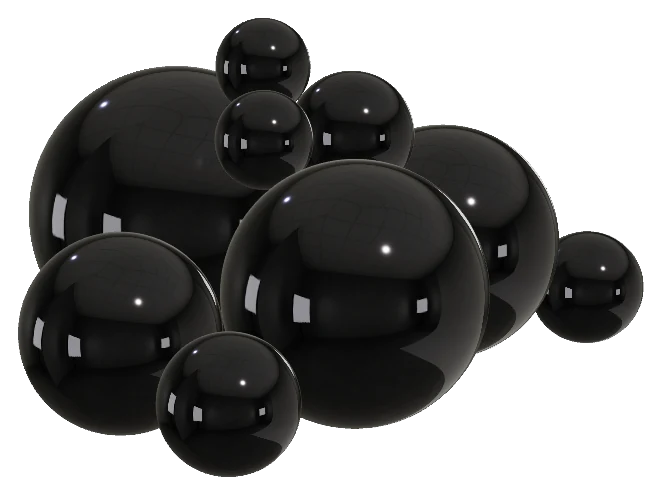
📏 Real sizes
Seven sizes: 20″ (50 cm), 2 ft (60 cm), 3 ft (90 cm), 4 ft (120 cm), 6 ft (180 cm), 8 ft (240 cm) and 10 ft (300 cm). Every ball is drawn at its true size next to your balloon designs.
🎨 15 colors and iridescent finishes
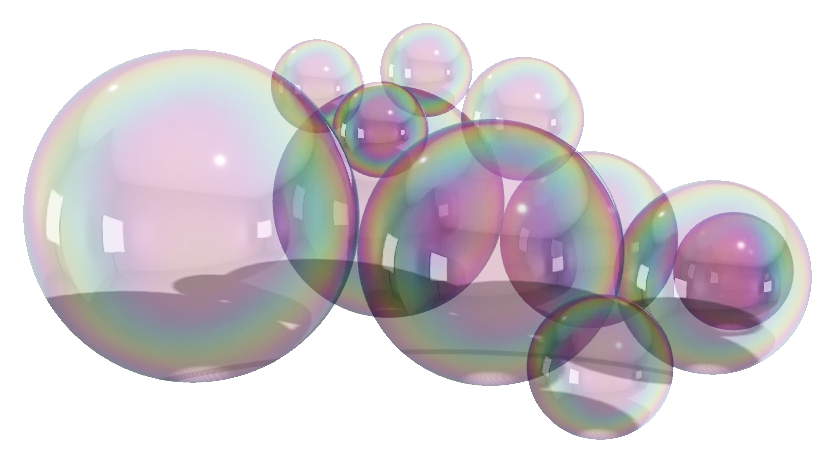
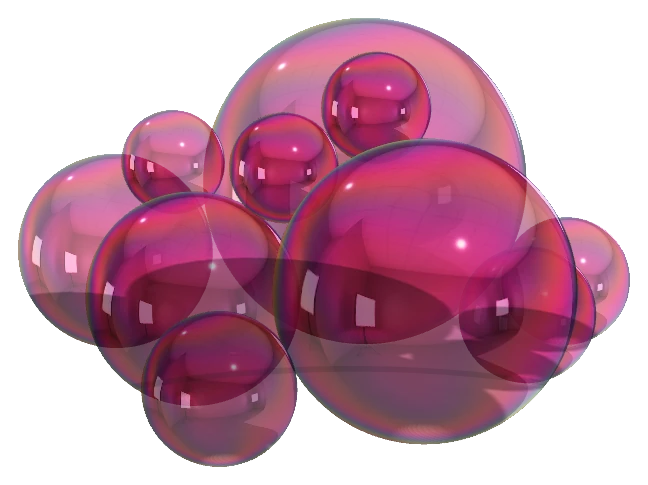
Silver, gold, pink, blue, black and ten more, including two iridescent finishes whose rainbow sheen shifts with the viewing angle, the way real iridescent mirror balls do.
✨ Cluster builder
Enter how many balls of each size you want and pick a color. SceneBuilder arranges them for you: the biggest balls on the floor, smaller ones resting in the gaps and on top. One click gives a new variation; another removes the whole cluster.
✋ Arrange by hand
Move any ball afterwards. The balls behave like solid spheres: a ball you drag rolls over the others instead of passing through them, and when you let go, the balls it was holding up drop into place.
From 3D Plan to the Real Balloon Sculpture
The 3D models come from the same designs you build from, so the mockup matches what you set up at the venue.
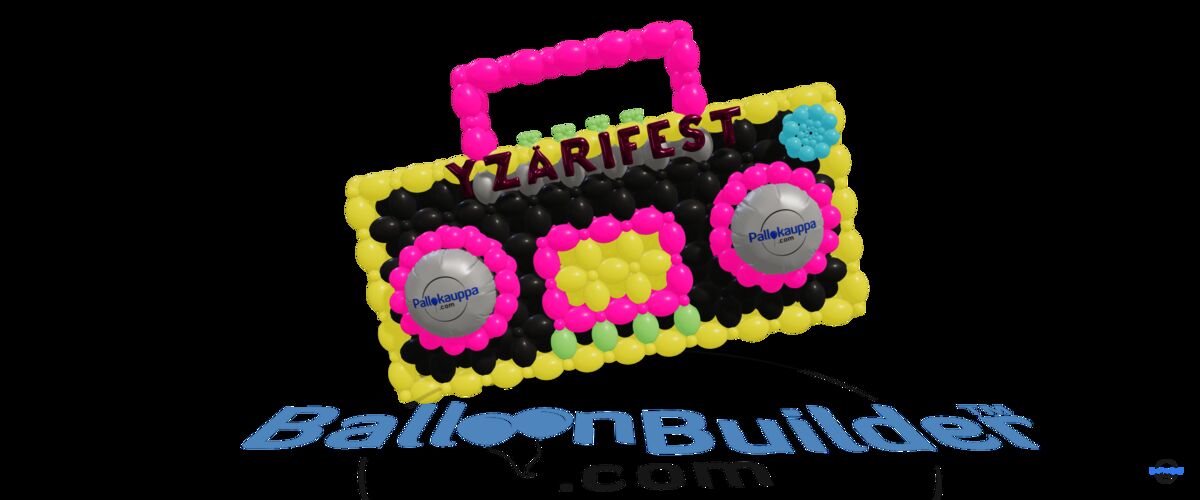
The 3D plan
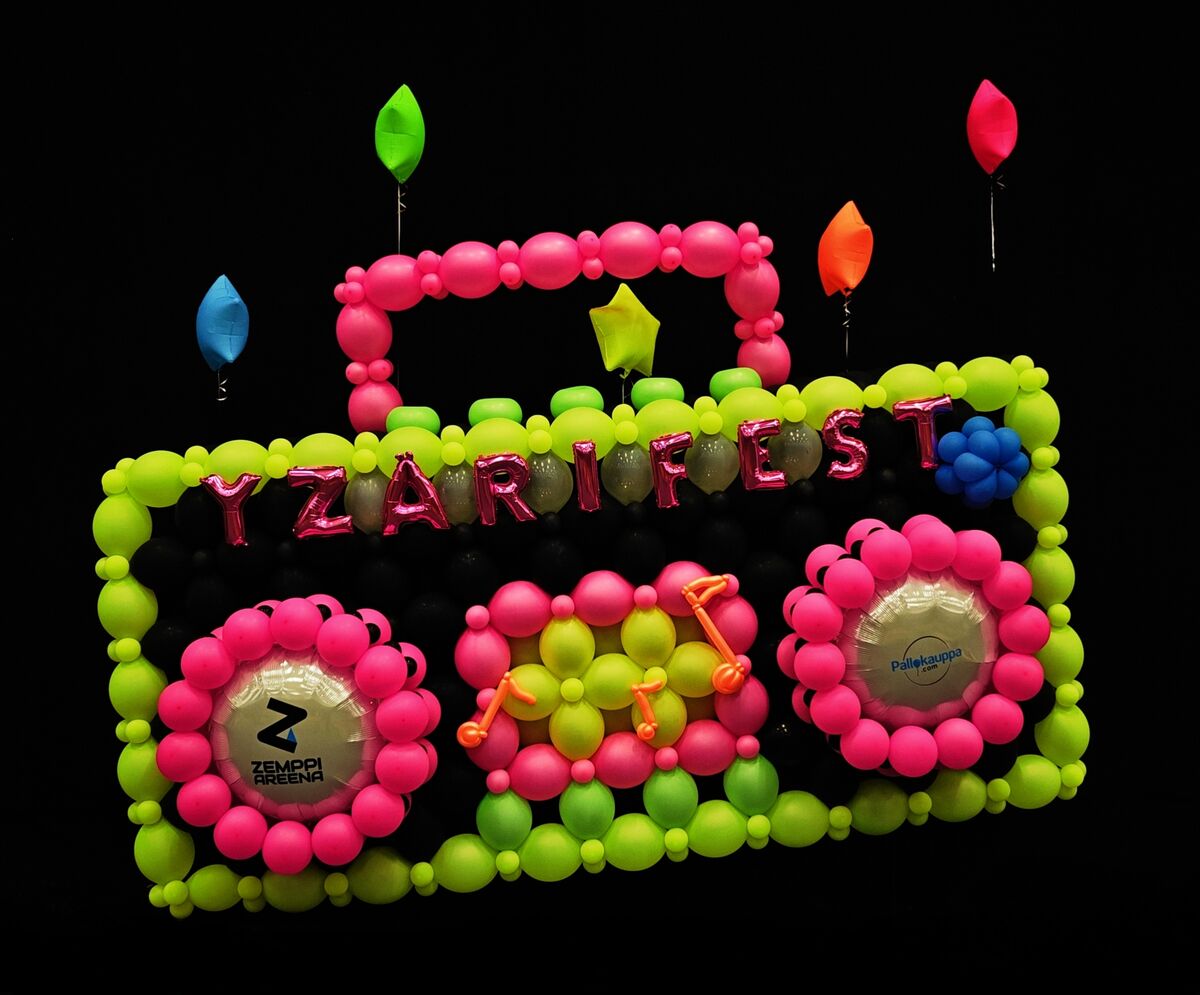
The finished balloon sculpture
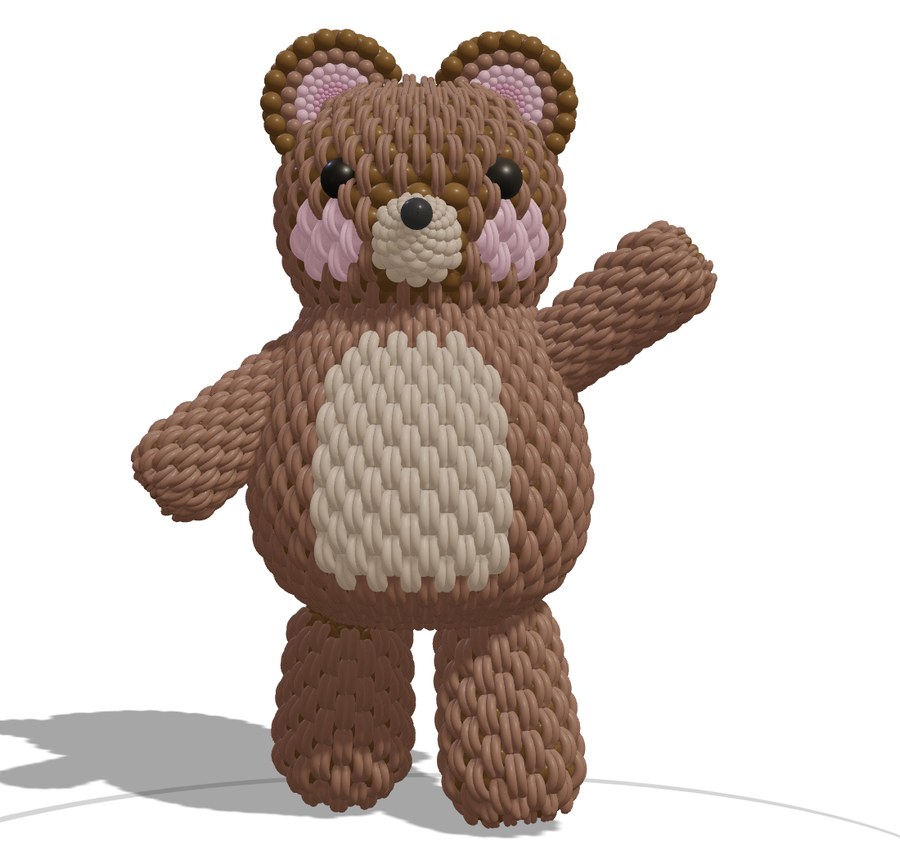
A teddy bear balloon sculpture, built and checked from every side in SceneBuilder before the first balloon is inflated
More in SceneBuilder
SceneBuilder Pricing
SceneBuilder is not sold on its own and is not part of the free trial. Members add it on their upgrade page.
Just need a quick mockup on a photo of the venue? Mockup Creator puts organic garlands, frames, backdrops and foils on the client’s own venue photo in 2D, with a balloon list and a quote sheet. It is made for everyday quotes and needs no 3D at all.
3D Balloon Mockups: Frequently Asked Questions
What is a 3D balloon mockup?
A 3D balloon mockup is a model of your balloon decoration that you can look at from any angle, at its real size. In SceneBuilder it shows the whole event: the balloon pieces, backdrops, tables and lights together, so the client can see the finished setup before it is built.
What do I need to use SceneBuilder?
A computer with a modern web browser and a BalloonBuilder plan that includes SceneBuilder. Nothing is installed. You need some comfort with moving around in 3D, but no 3D modelling skills: the models come from the built-in library and from the Columns & Arches and Walls apps. On slower computers, the Fast and Super fast modes keep the view smooth.
Can I show the design in my client’s real venue?
Yes. Use a photo of the venue as the background, or the live camera of your phone or tablet, and freeze the frame you want. On an Android phone with Chrome, the AR view places the whole scene on the real floor at true scale, and you can walk around it, move single pieces and take a photo.
Can I make videos of my balloon designs?
Yes. SceneBuilder records MP4 videos up to 60 seconds long, in square, vertical 9:16 or landscape 16:9 format. Choose a camera move such as an orbit, a sweep or a crane rise, let the balloons build up piece by piece, and add light moves like spotlight sweeps or colour cycles.
Can I simulate a balloon drop?
Yes. Choose the net, the balloon sizes and colours, including 18″ and 36″ foils, and SceneBuilder packs the net and releases it inside your scene. It tells you how many balloons of each type fit, and you can record the drop as a video or start it in the AR view.
Can I create shimmer wall, backdrop and table mockups?
Yes. SceneBuilder includes sequin wall panels in mirror, shiny and matte finishes, backdrop panels and arches in six shapes, fabric drape presets, and wooden column and blade tables in seven wood types. Combine them with your balloon columns, arches and garlands in one scene.
Can I create mirror ball mockups?
Yes. SceneBuilder includes mirror balls in seven sizes, from 20″ (50 cm) to 10 ft (300 cm), and 15 colors, including iridescent finishes. The cluster builder arranges any mix of sizes for you, big balls on the floor and smaller ones on top, and you can then move each ball by hand.
How much does SceneBuilder cost?
SceneBuilder is an add-on for $59 (€49) a year for members with a Pro Yearly or Full Yearly plan, or part of the Full Yearly + SceneBuilder plan for $329 (€299) a year. It is not sold on its own and is not part of the free trial.
What is the difference between SceneBuilder and Mockup Creator?
Mockup Creator puts your balloon design on a photo of the real venue, in 2D, and is made for everyday quotes. SceneBuilder builds the whole event as a 3D scene that you can look at from any angle, light, record as a video and place in the room with AR. Read about Mockup Creator.
Show the Whole Event Before You Build It
SceneBuilder: $59 a year as an add-on for Pro Yearly and Full Yearly members.
See the plans