
Mosaic Designer — Mosaic Numbers, Letters & Custom Shapes in 3D
Design any mosaic in real-time 3D — mosaic numbers for birthdays, letter mosaics for names and monograms, or any custom shape you upload as an SVG. BalloonBuilder generates the frame, packs the balloons, and counts every single one for you. No more buying a separate template for every shape.
Design unlimited mosaics and export images, 3D renders and material lists on any paid plan — from $14.90/month. Printable build templates are included too: 1–3 every month depending on your plan, with extra credits available any time.
Start Free Trial →…or download a real printable template first — free, no account needed.
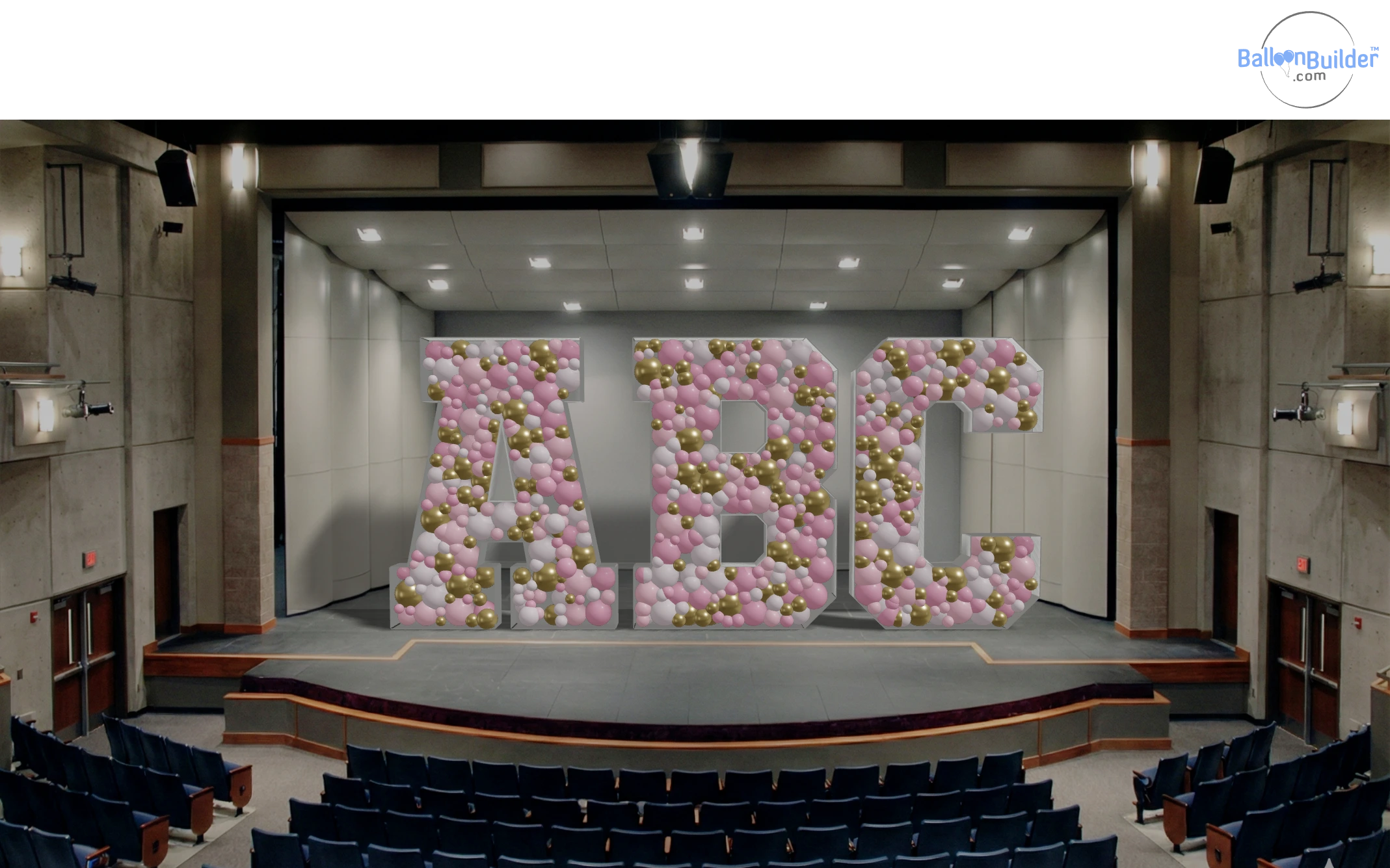
Type any letters — the frame and the packing are generated for you. This render is exported straight from BalloonBuilder with no retouching. The balloon model is on a transparent background, so you can drop it into a venue photo or a client mockup in BalloonBuilder (like in the image here) or in any photo editor.
Why BalloonBuilder's Mosaic Designer Stands Alone
Everywhere else, a mosaic template means buying a PDF for one single shape — one number, one letter, one skull, one ice cream cone. BalloonBuilder is a designer, not a shop. You build the shape you actually need, in the size you actually need, see it packed with real balloons in 3D, and get an exact balloon count before you cut a single sheet of foam board.
That count is your quote. You know the balloon cost before you price the job instead of discovering it halfway through the build. And the 3D render is a selling tool in its own right — BalloonBuilder is the only mosaic design tool that hands you a realistic image of the finished piece with the colours you selected to show the client before they commit.
🎯 The ONLY Mosaic Tool with Real-Time 3D
Watch your mosaic fill with balloons as you design it. Rotate it, light it, and render a client-ready image — before you buy materials. No other mosaic design software shows you the finished piece in 3D.
🔤 Every Letter, Every Number — Included
A–Z, 0–9 and 20 symbols in six mosaic fonts. Type "SARA", "21", "IT'S A BOY!" or any other message and the frame is generated instantly. No per-shape purchase, no waiting for a download.
📐 Upload Any Shape as SVG
Shark, swan, cross, coffee cup, grad cap, company logo — drop in an SVG and BalloonBuilder turns it into a packed custom mosaic, holes included.
Mosaic Numbers & Letters — Type It, Build It
Mosaic numbers are the single most requested mosaic piece on the market — 1st birthdays, 16ths, 21sts, 40ths, 50ths, anniversaries. In BalloonBuilder you simply type the number or the name. The frame outline, the internal counters (the hole in, for example, a 0, 8 or A) and the balloon packing are all generated for you.
59 mosaic glyphs × 6 fonts = 354 ready-made shapes, included on every paid plan
Six Mosaic Fonts
Six fonts are built in, from clean and classic to heavy and condensed. The choice is practical as much as stylistic: a thick, chunky letter holds far more balloons and reads from further away, while a slimmer one suits detailed shapes and tight spaces. Switch font at any time — the frame, the packing and the balloon count all regenerate instantly. See the same number in all six fonts →
Multi-Row Text
Write across several lines — "HAPPY / BIRTHDAY / MIA" — and set letter gap and row gap in centimetres or inches to control the whole layout.
Flat Standing Base
All letters can be sliced flat at the bottom so the mosaic stands square on the floor instead of rocking on a curved edge. Adjust the flat base as needed.
Nordic & Symbol Glyphs
Å, Ä, Ö plus &, @, €, #, $, £, %, !, ? and punctuation — so names, hashtags and price props work in almost any market.
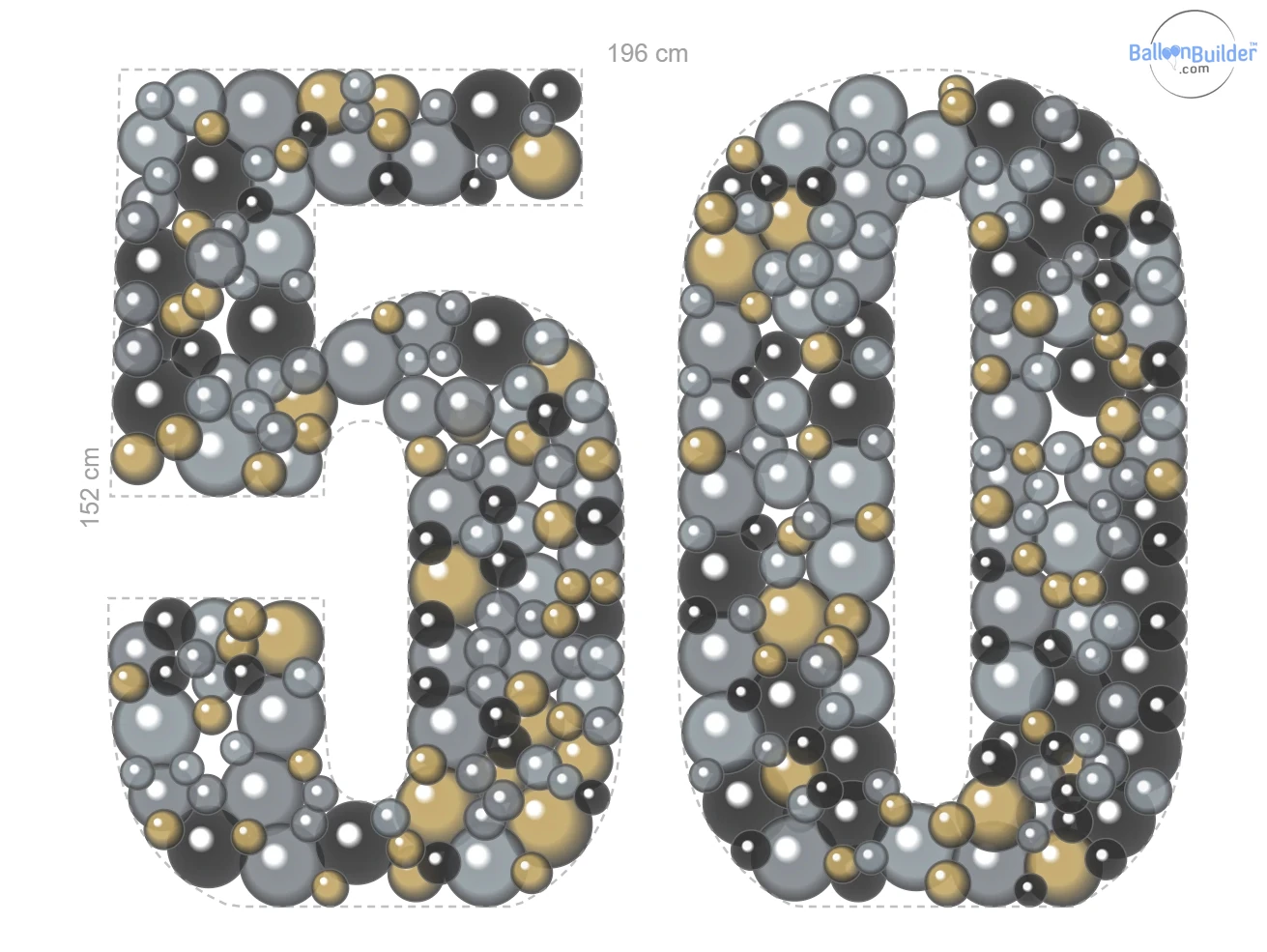
The plan: 196 × 152 cm, every balloon placed before you cut a single sheet. Exported directly from BalloonBuilder, unedited.
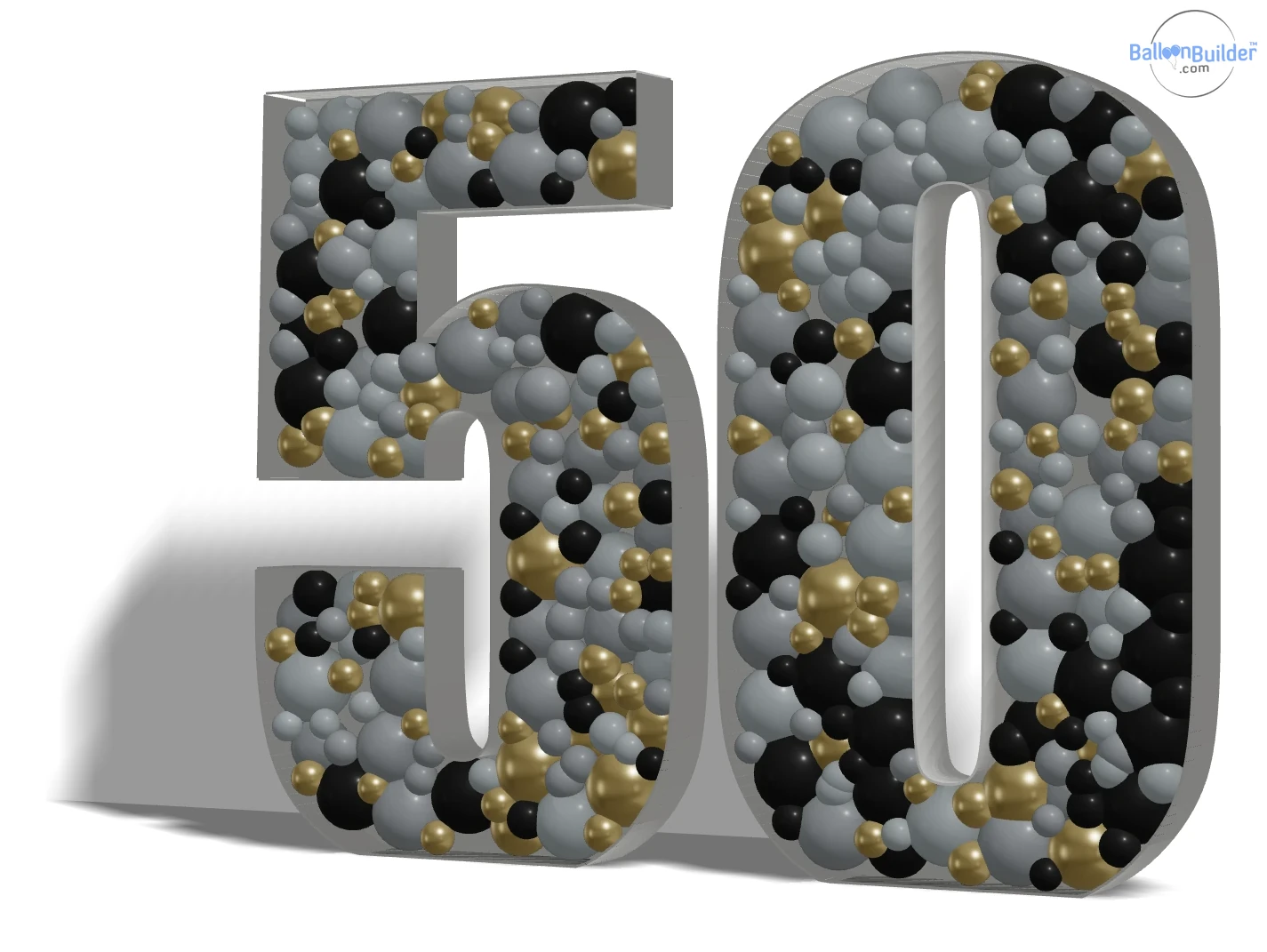
…and the same design in 3D. Exported directly from BalloonBuilder, unedited.
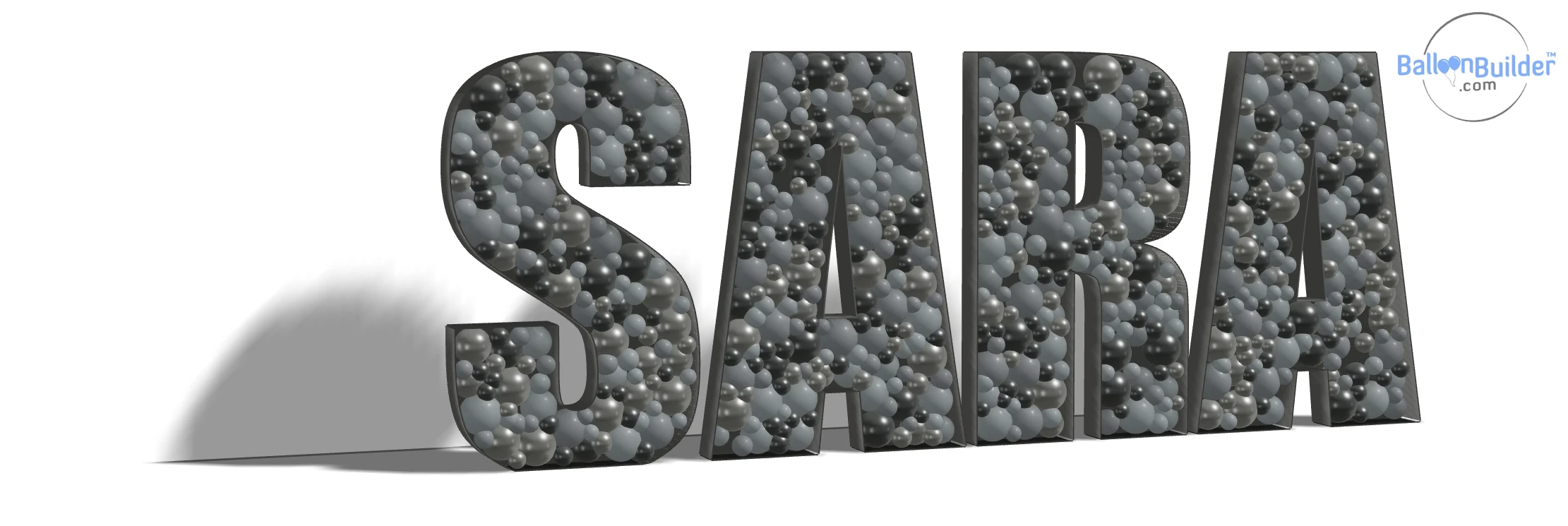
Tight letter gaps…
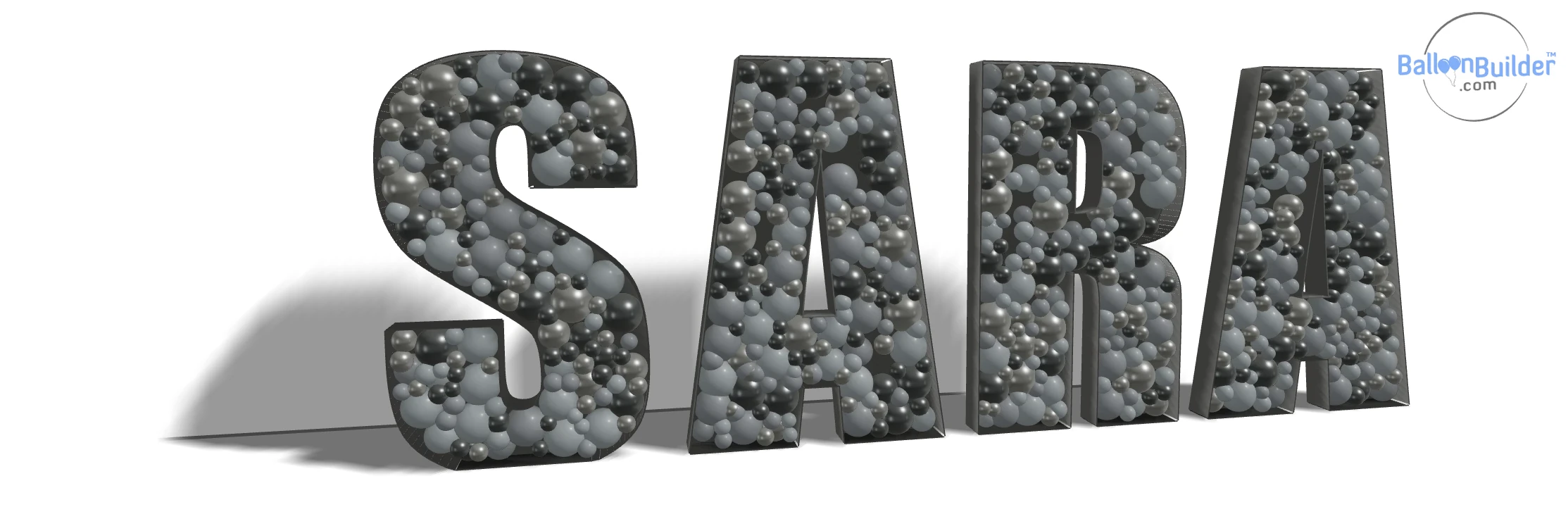
…and loose. Same name, same colours, very different footprint.
Custom Mosaic Shapes — Upload Your Own SVG
Any Shape You Can Draw, BalloonBuilder Can Pack
This is where a mosaic designer beats a balloon template shop. Instead of hunting for a shark, a swan, a cross, a megaphone or a gingerbread man and paying for each one — or sending the file to someone else and waiting — you simply upload an SVG — from your own artwork, a client's logo, or any vector file — and BalloonBuilder converts it into a fully packed mosaic frame in seconds.
- ✓ Drop in an
.svgfile — outlines are detected automatically - ✓ Overlay the original artwork on top of your design at adjustable opacity, so you can check the mosaic matches the source
- ✓ Add extra inner walls with the mosaic divider tool if the shape needs them
- ✓ Perfect for license-free themed shapes, corporate logos, and one-off client requests
- ✓ Multi-part shapes stay together — two baby feet, a four-piece logo or any design whose parts touch export as one template, with the join marked as a single divider line instead of two outlines
- ✓ Reuse the shape as often as you like — it is your file, not a single-use purchase
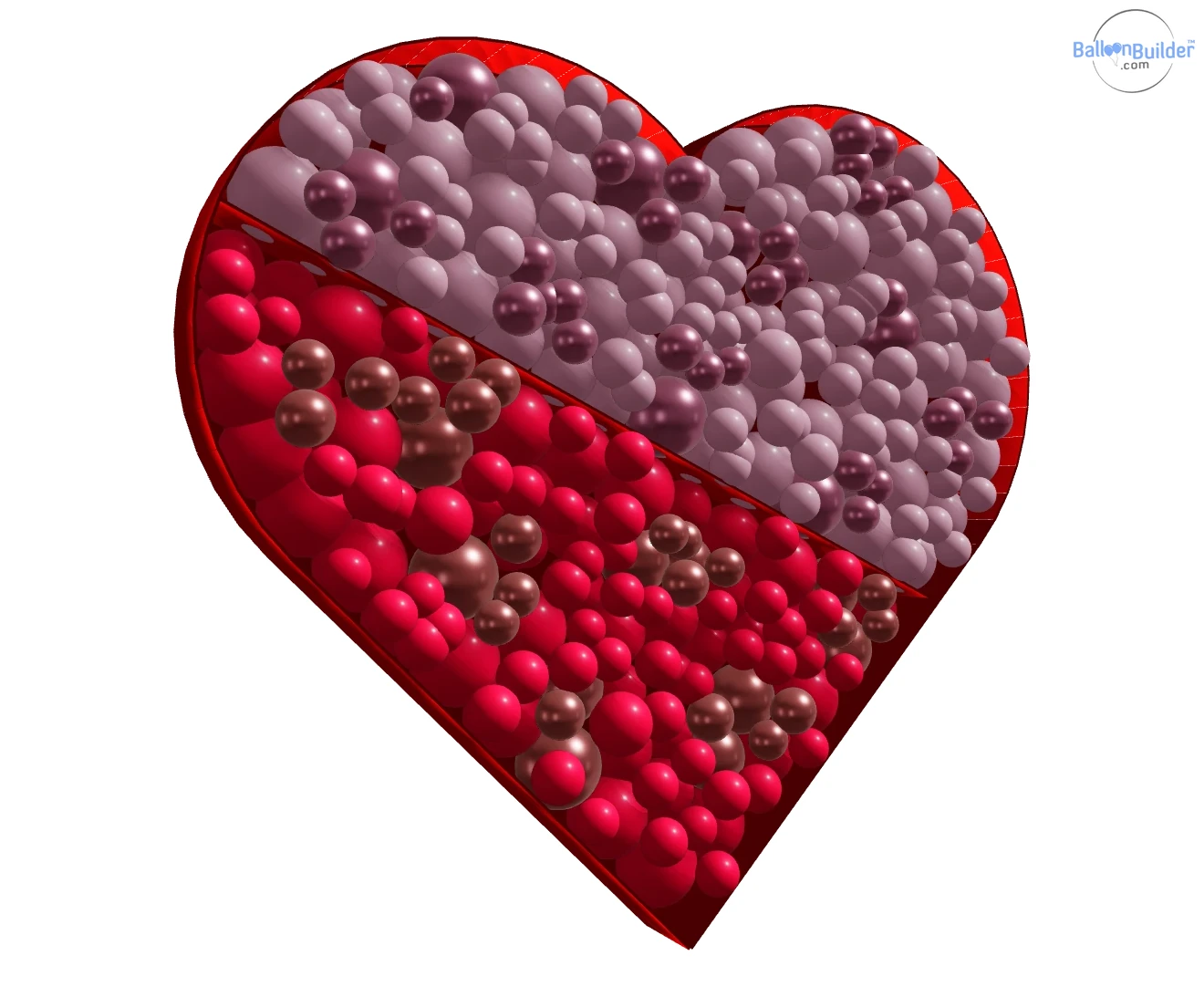
Upload an SVG, get a packed mosaic — split into colour blocks with inner wall dividers. Exported directly from BalloonBuilder, unedited.
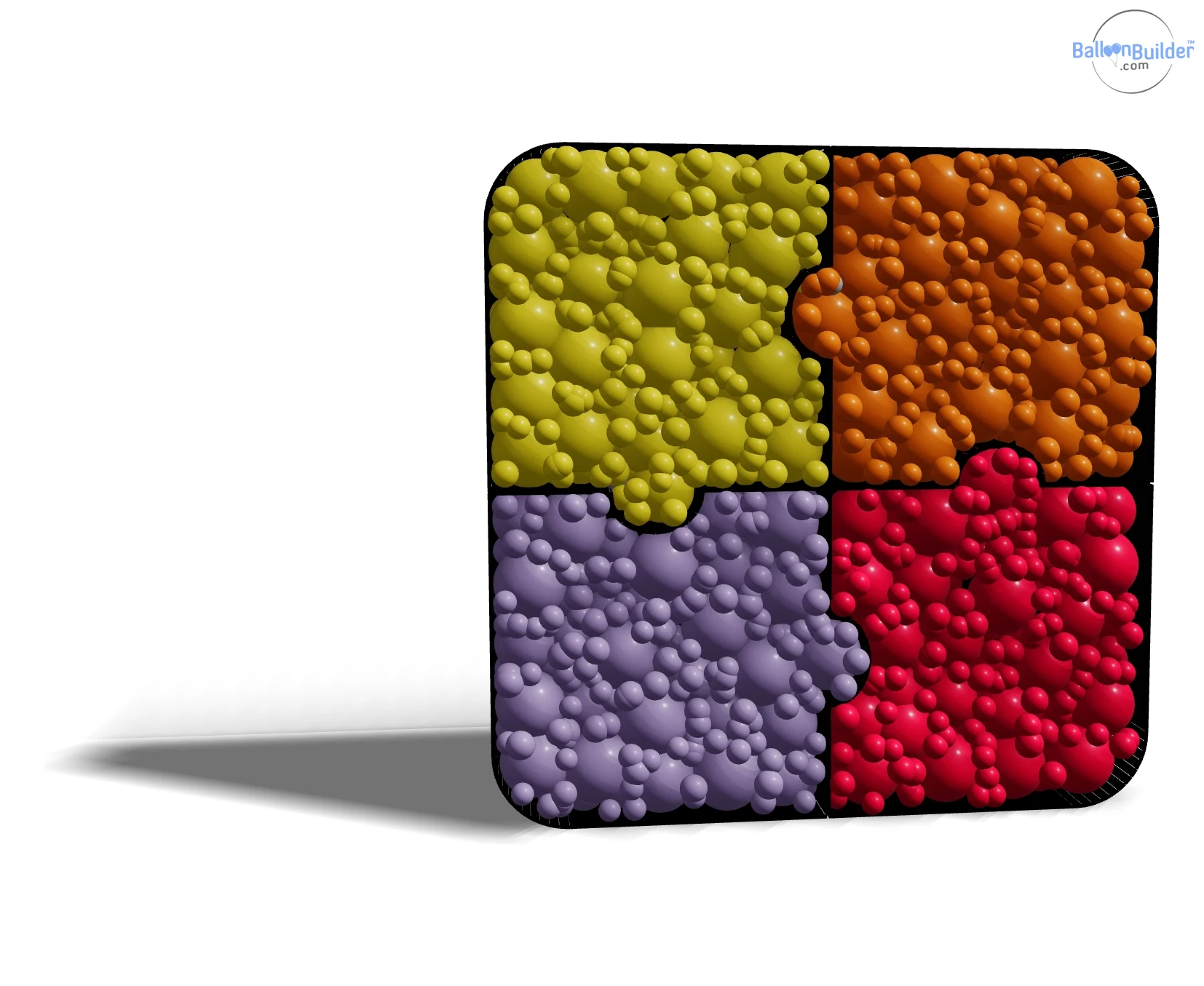
A logo-style shape: each piece is its own frame, packed and coloured separately.
Inner Wall Dividers — Colour Blocking That Actually Holds
Split the Mosaic Into Sections, Then Colour Each One
Two- and three-tone numbers, ombré letters, split-colour hearts — every good mosaic uses internal divisions. In BalloonBuilder you draw them directly on the shape: click a start point, click an end point, and the divider snaps its endpoints to the outer walls automatically.
- ✓ Draw straight or curved dividers anywhere inside the frame
- ✓ Adjust each divider with 2–15 knots to bend it into any curve you want
- ✓ Endpoints lock to the outer wall, so every section is fully sealed and looks clean
- ✓ Balloons repack automatically inside each section — no overlap, no gaps at the seam
- ✓ Dividers double as structural bracing on tall 4 ft and 5 ft mosaics
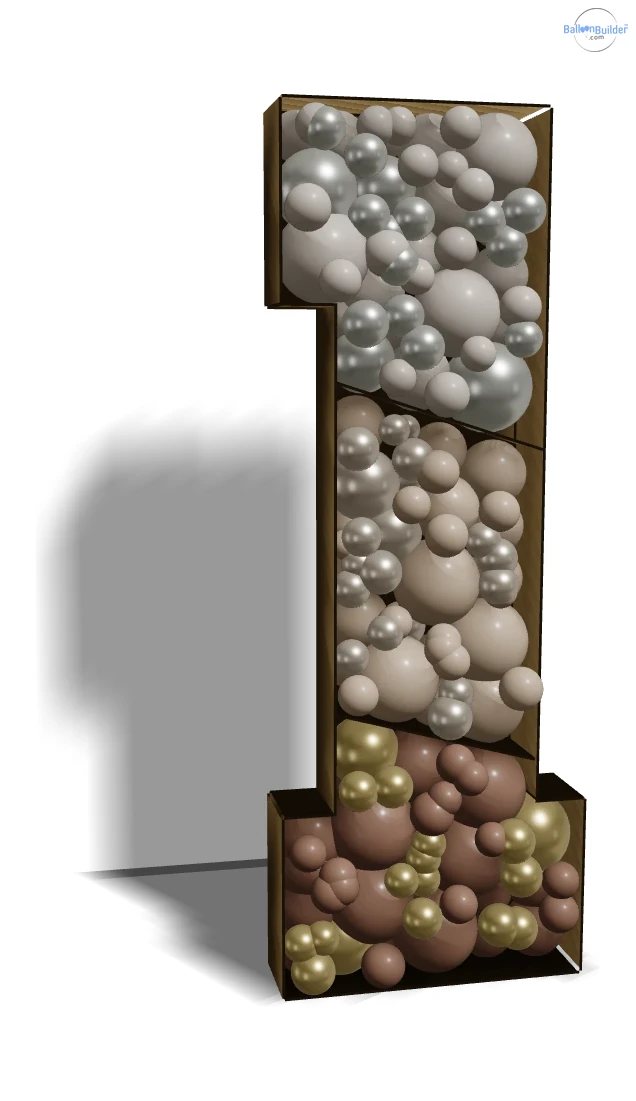
Three sealed colour blocks — and you can see the divider boards.
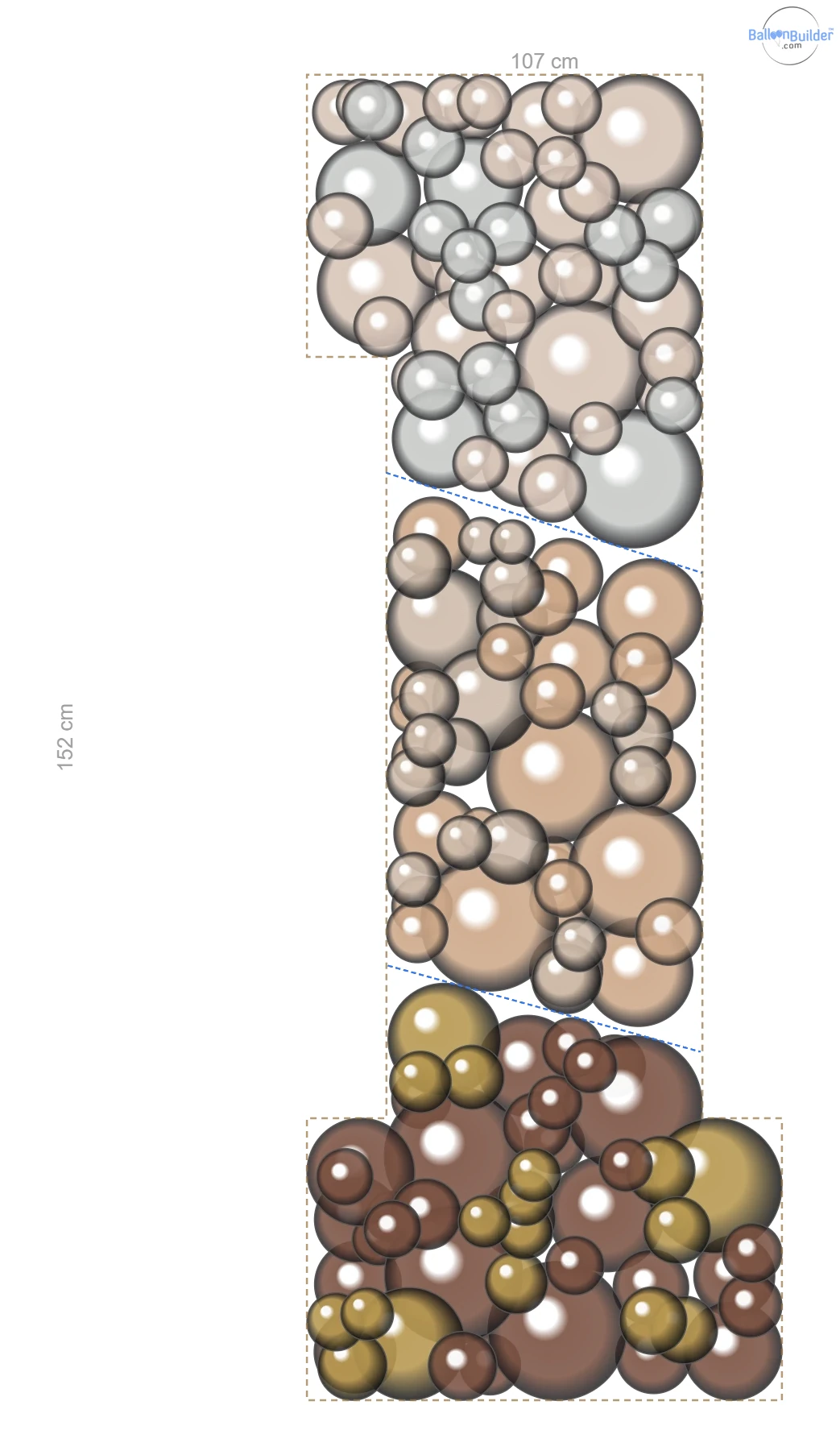
The blue lines are the dividers you draw — endpoints lock to the outer wall.
Realistic Balloon Packing — Not Just a Grid of Circles
The reason a mosaic looks professional is the packing: big balloons carrying the body of the shape, small balloons squeezed into the crevices, nothing flat and nothing showing the backing board through. BalloonBuilder simulates that physically and gives you an accurate estimate of how many balloons the shape needs. You control the balloon sizes — BalloonBuilder fills the shape.
Organic Size Distribution
Mixed balloon sizes are placed and relaxed against each other until they settle, the same way real balloons compress when you pack them into a frame.
Automatic Gap Filling
Turn on gap filling and BalloonBuilder drops small balloons into every crevice. Set the min and max fill size.
Frame Depth Control
Set side wall depth from 5 to 100 cm (default 20 cm / 8″) to match the foam board strip width you actually cut — 2.5–4″ strips for detail shapes, 5–7″ for large ones, and deeper still for very large pieces built with bigger balloons.
Frame Colour from Real Palettes
Colour the frame itself from the BalloonBuilder palette or any custom hex, so the 3D render matches the board or paint you will actually use.
Standard Mosaic Sizes — 30″, 4 ft, 5 ft or Custom Size
Mosaics are sold in a handful of standard heights, and BalloonBuilder ships those as one-click presets. Every dimension is shown live in centimetres or inches, so the design you approve is the design you build.
| Height preset | Metric | Typical use | Sheets of foam board |
|---|---|---|---|
| 30″ | 76 cm | Table-top numbers, small letters, shop displays | Usually 1-2 |
| 4 ft | 122 cm | The most common party mosaic — birthdays, baby showers | Usually 2–4 |
| 5 ft | 152 cm | Statement pieces, graduation, milestone birthdays | Typically 4-8 |
| Custom | 30–400 cm | Anything from tiny props to full walk-past installations | Depends on shape, but larger boards are recommended |
Sheet counts assume standard 20″ × 30″ foam board. Larger 4′ × 8′ sheets cover most 4 ft and 5 ft shapes in one piece — see the for joining multi-sheet backings.
From Screen to Foam Board
Export the Design, Then Build It With the Full Construction Guide
Once the mosaic is designed, export what your build day needs: the material list with balloon counts, hi-res 2D and 3D images for the client, a scalable SVG of the shape, and even a GLB 3D model. Then follow the step-by-step BalloonBuilder mosaic construction guide — knife choice, cutting tips, scoring and bending the strip walls, gluing the frame, and compression-packing the balloons.
Unlimited on every paid plan — design as many mosaics as you like and export all of this as often as you like:
- ✓ Material list — every balloon by size and colour
- ✓ 2D shape plan and 3D render, up to 3000 px (PNG or WebP)
- ✓ Full-size mosaic image, ready to print or send to a print shop
- ✓ Scalable SVG export of the mosaic — open it in any vector tool or send it to a cutting plotter
- ✓ GLB 3D model for mockups and client presentations
- ✓ Watermark-free on every paid plan
One exception: the printable A4 / US Letter build template is the only metered export — 1 per month on Entry, 2 on Pro, 3 on Full, with extra credits available any time. Everything listed above is genuinely unlimited and never uses a credit.
Try a Real Balloon Template Before You Sign Up
One finished mosaic template straight out of BalloonBuilder — the number 1, 3 ft tall, tiled across ordinary printer sheets with cut lines and taping margins. Download it, print it, tape it together and judge the quality for yourself. This is a single ready-made file; with an account you generate the same thing for any letter, number or shape you upload, at any height.
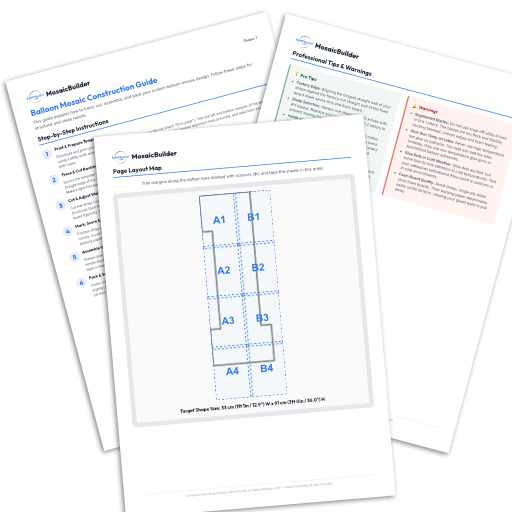
3 ft (91 cm) tall number 1 · tiled for home printing · free to use on your own builds. Create an account to generate templates for any letter, number or custom shape.
Six Built-In Fonts — Only One Is Included in the Free Download
The free PDF above is one template: the number 1, 3 ft tall, in the first font. These are the same number 1 in all six fonts built into the app — to show the range you get once you are inside, not six files to download.
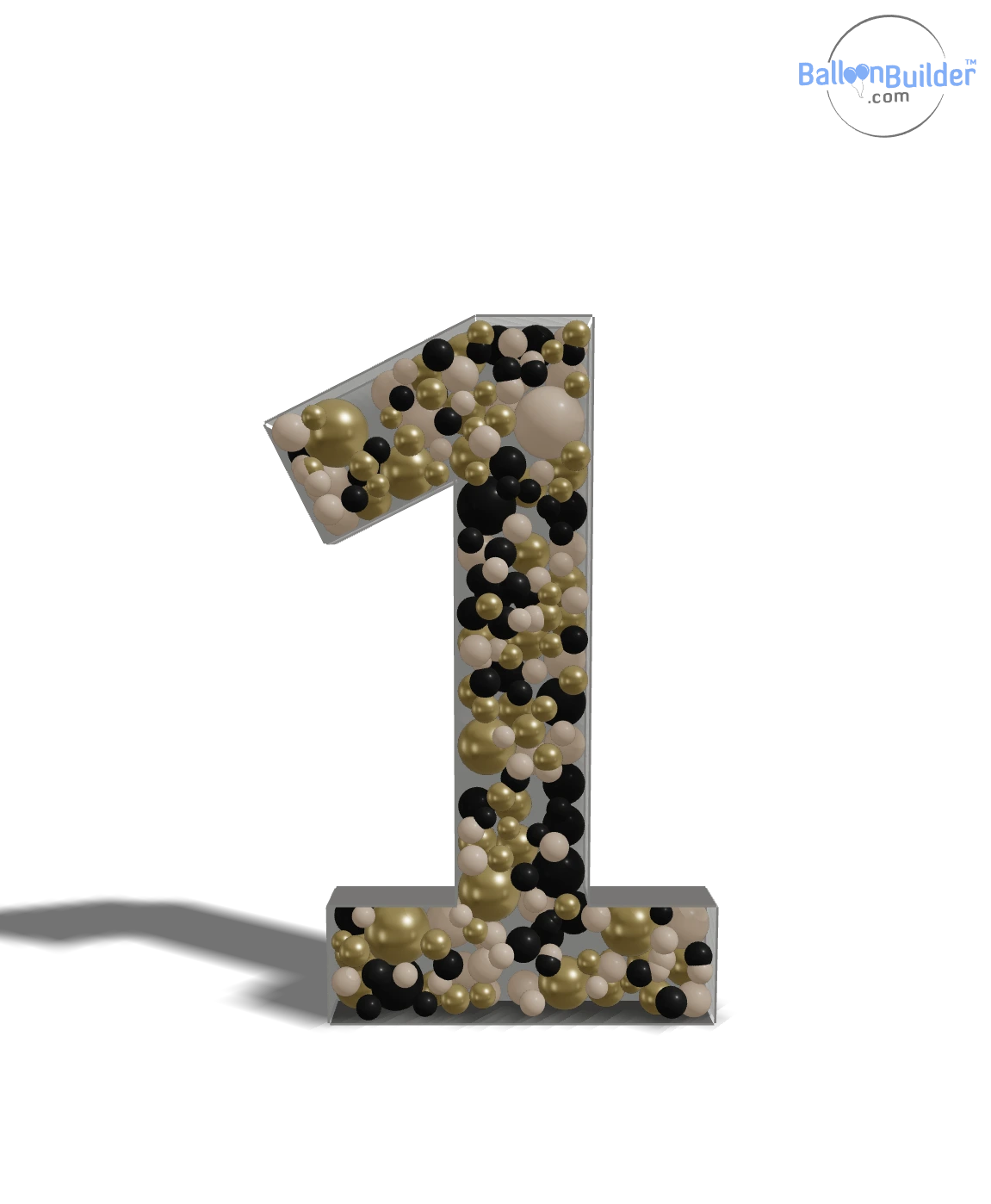
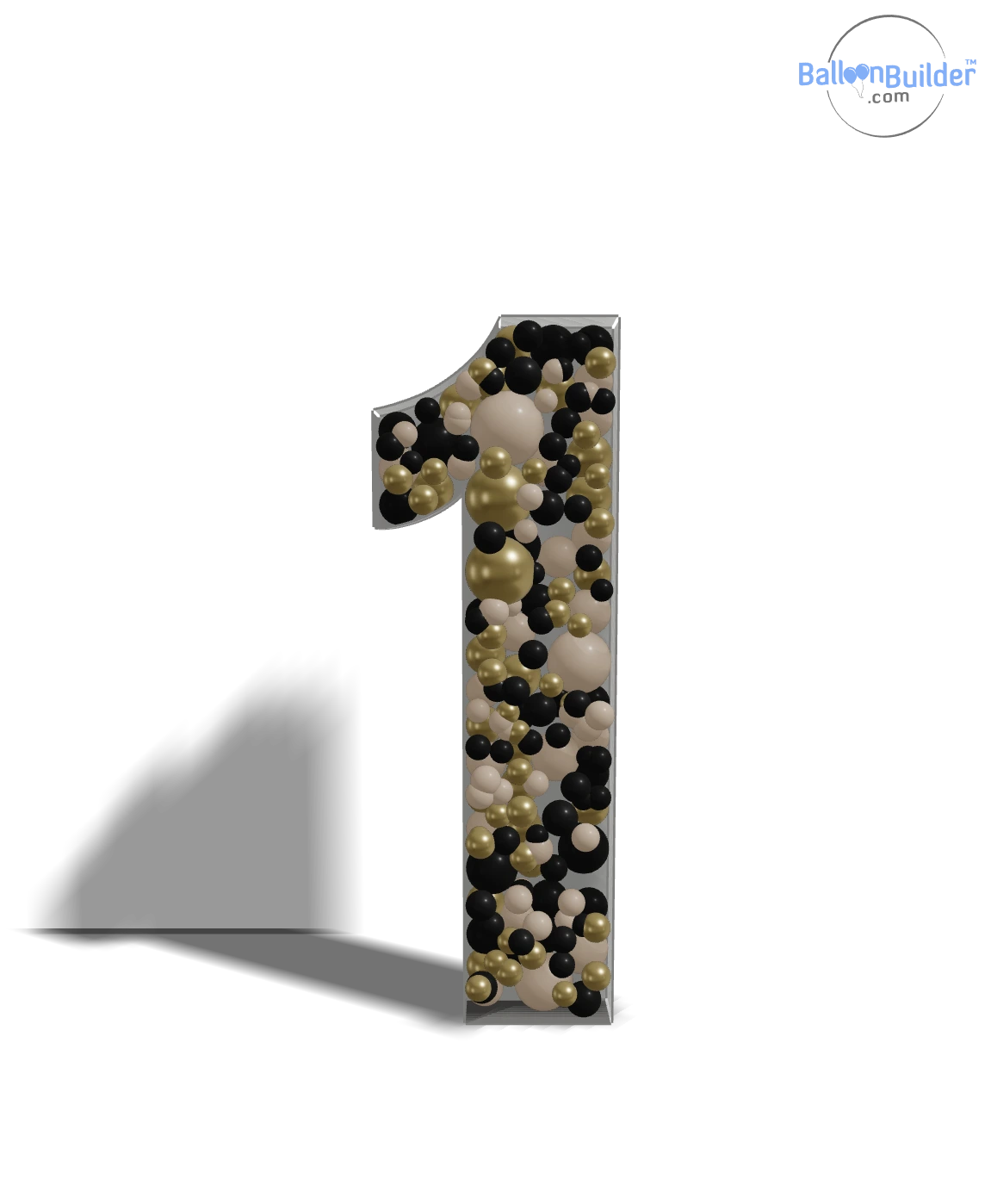
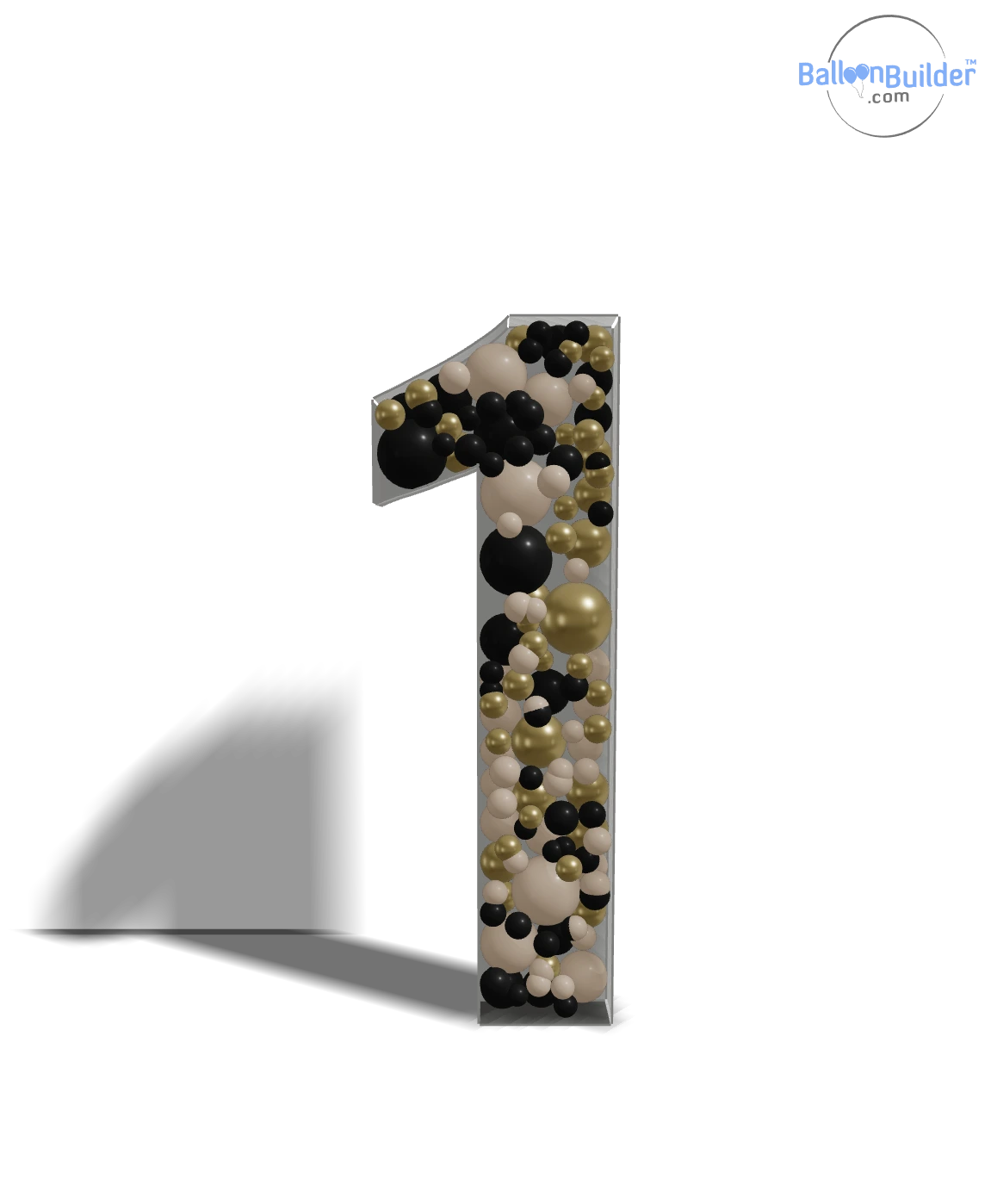
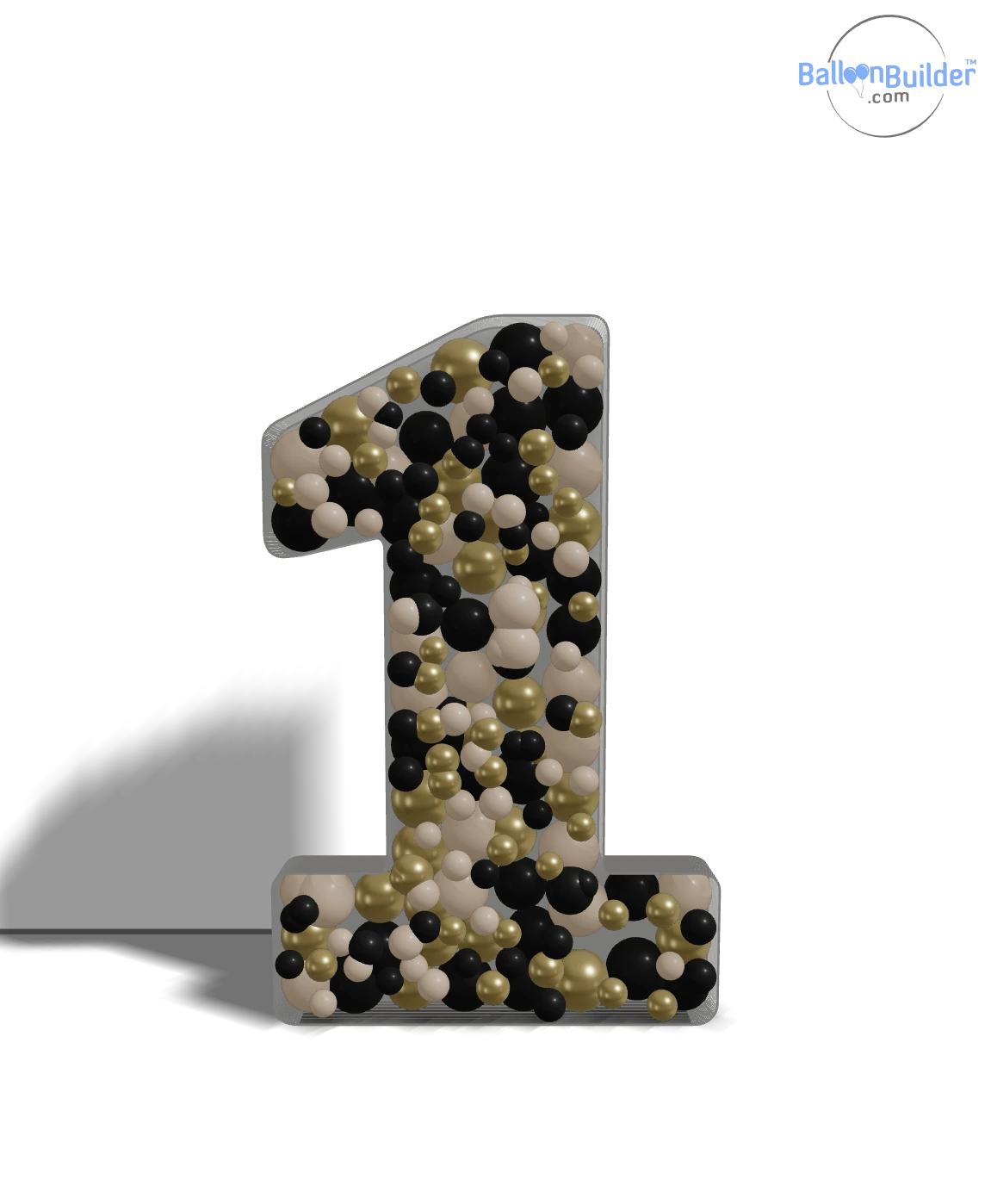
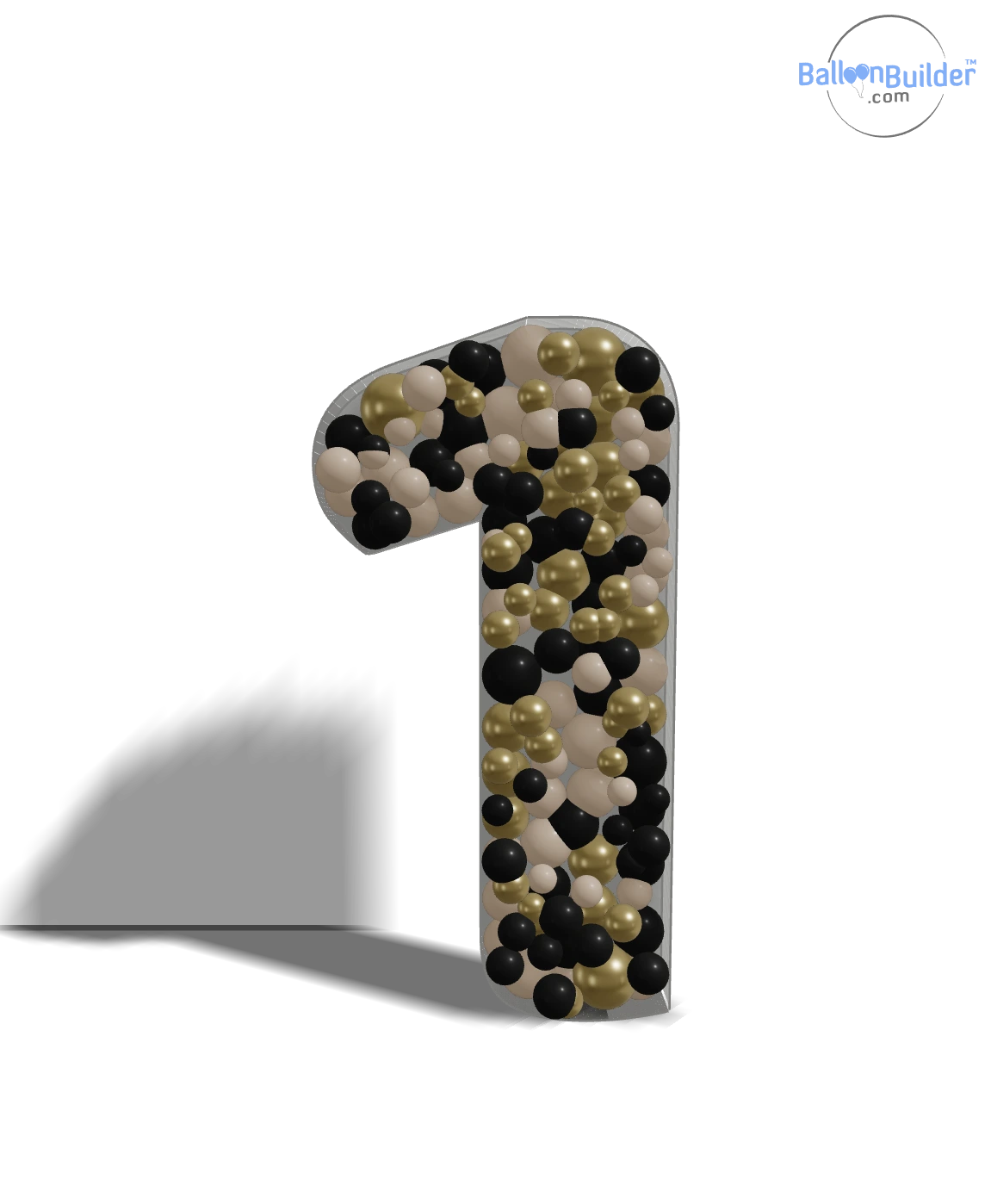
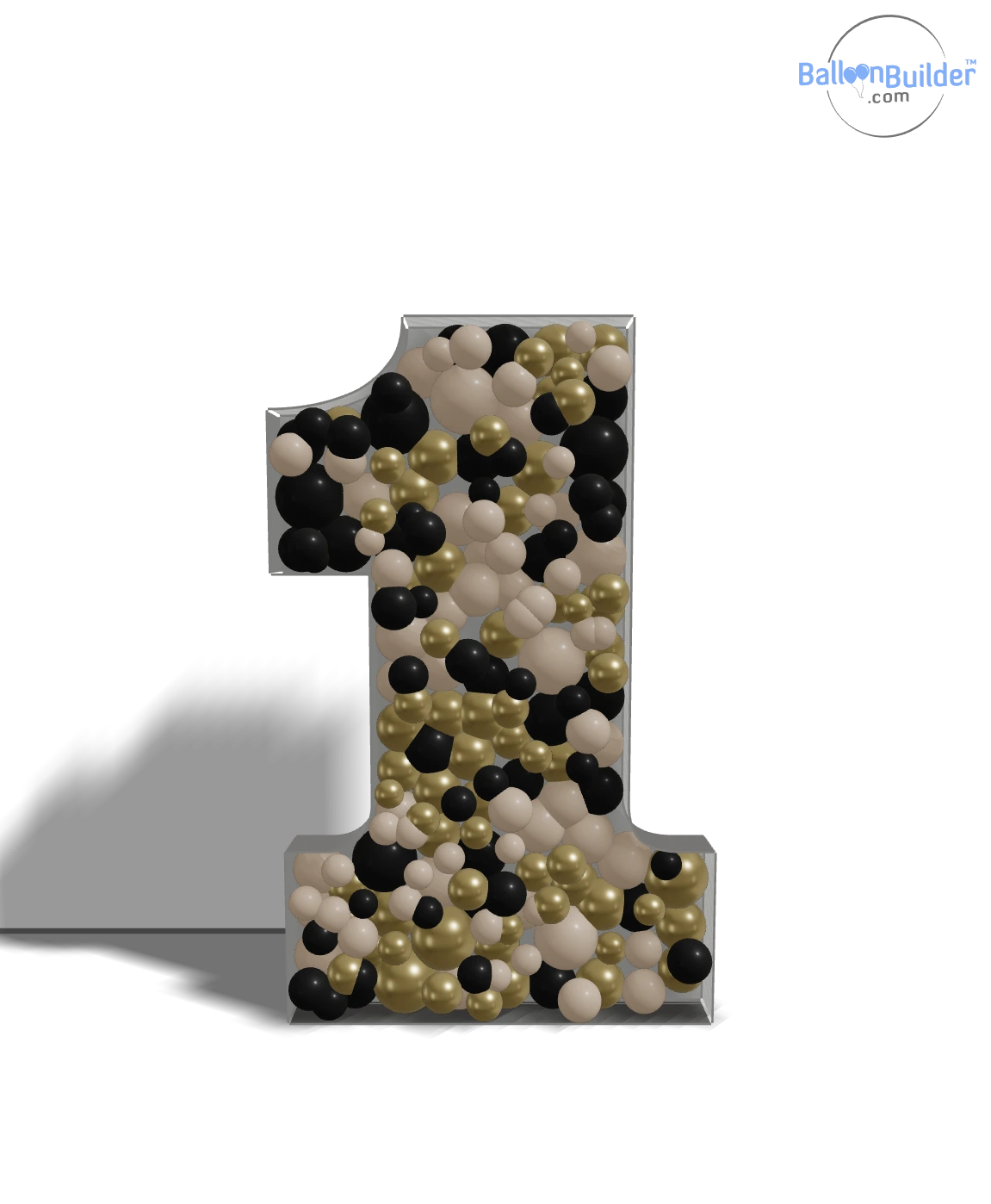
Pick the font, the height and the frame depth, then export your own template for any letter, number or uploaded shape. Start a free trial →
Full-Scale and Tiled A4 / US Letter PDFs
The printable mosaic template is the build document: your shape at true size, ready to cut — no design skills, no scaling maths.
- ✓ Full-scale single-page PDF — the page is sized to the real physical dimensions of your mosaic. Send it straight to a large-format plotter or print shop.
- ✓ Tiled multi-page PDF — the shape is split across A4 or US Letter sheets you print at home and tape together.
- ✓ Dashed cut lines and printer safety margins on every sheet
- ✓ Overlap lap-joint seams — trim one edge, lay it over the next sheet, tape. No fiddly butt-joint alignment.
- ✓ Lighter outline inside overlap zones so taped seams never double-print
- ✓ Fine outline at true print size — thick enough to follow with a utility knife, thin enough to stay accurate
Every paid plan includes printable templates each month — 1 on Entry, 2 on Pro, 3 on Full. Need more in a busy month? Extra templates are $7.99 each, 3 for $17.99 or 6 for $29.99 — no subscription change required. Designing, image exports and material lists are never limited and never use credits.
How the Mosaic Designer Works
From an empty screen to a costed, client-approved mosaic in three steps.
Type Your Text or Upload an SVG
Pick Mosaic Designer mode, then type a number, name or message — or upload your own SVG shape. Choose the font, set letter and row gaps, and pick a height preset.
Divide, Colour & Pack
Draw inner wall dividers to split the shape into colour blocks (or leave the shape whole), choose your balloon colours from real product palettes, and let the packing engine fill the frame in 3D.
Export & Build
Export the material list, hi-res renders for the client, and the scalable SVG shape. Then follow the construction guide to cut, score, glue and pack the real thing.
Why Professionals Choose BalloonBuilder for Mosaics
There are three ways to get a mosaic shape. Here is how they compare.
BalloonBuilder vs Buying Single-Shape Templates
Balloon template shops sell one PDF per shape — one number, one letter, one themed design. It works, but every new client request is another purchase, another download, and a fixed shape you cannot freely resize, recolour, or split into sections. BalloonBuilder gives you every letter and number included, plus SVG upload for any shape you can imagine — for one monthly subscription that costs less than two or three individual templates. And unlike a flat PDF, you see the finished mosaic in 3D and get the balloon count before you order stock.
BalloonBuilder vs Drawing It Freehand
Sketching a mosaic on foam board with a marker and a piece of string is how many decorators start — and it is why many first mosaics come out lopsided, undersized, or short on balloons halfway through the build. BalloonBuilder gives you a true-to-scale shape, sealed sections, exact dimensions in cm or inches, and a stock list that matches what you will actually use.
BalloonBuilder vs Generic Design Software
You can draw a mosaic outline in Illustrator or Canva, but neither one knows what a balloon is. They will not pack the shape, will not tell you how many 5″ balloons fill the crevices, and will not show the client a photorealistic 3D render. BalloonBuilder is built specifically for balloon decor.
One Subscription, Five Designers
The Mosaic Designer sits inside the same app as the Balloon Wall Designer, with the Arch, Column and Organic Garland designers all included in the same account. Design the mosaic and the garland that frames it in the same session — and the balloon wall behind them. See the full plan comparison →
What People Build With It
Mosaics have gone from a niche trend to a core product in balloon studios worldwide. These are the jobs the designer gets used for most.
🎂 Birthday Mosaic Numbers
1st birthdays, sweet 16s, 21sts, 30/40/50/60. Type the number, pick the palette, done. The highest-volume mosaic job there is.
🎓 Graduation Mosaics
Class years, initials, and grad cap shapes via SVG upload. Pairs naturally with a balloon arch for the full photo backdrop.
👶 Baby Showers & Gender Reveals
Names, "OH BABY", hearts and bears. Inner wall dividers make split pink/blue reveal mosaics straightforward.
💍 Weddings & Anniversaries
Monogram letter mosaics, "&" props, "MR & MRS", and anniversary numbers in chrome and pearl finishes.
🏢 Corporate & Brand Activations
Upload the client's logo as SVG and match the brand hex codes to the closest real balloon colours. Store openings, launches, trade shows.
🎄 Seasonal & Themed Shapes
Christmas trees, easter eggs, pumpkins, candy corn, hearts, shamrocks — any seasonal shape you can source or draw as a vector.
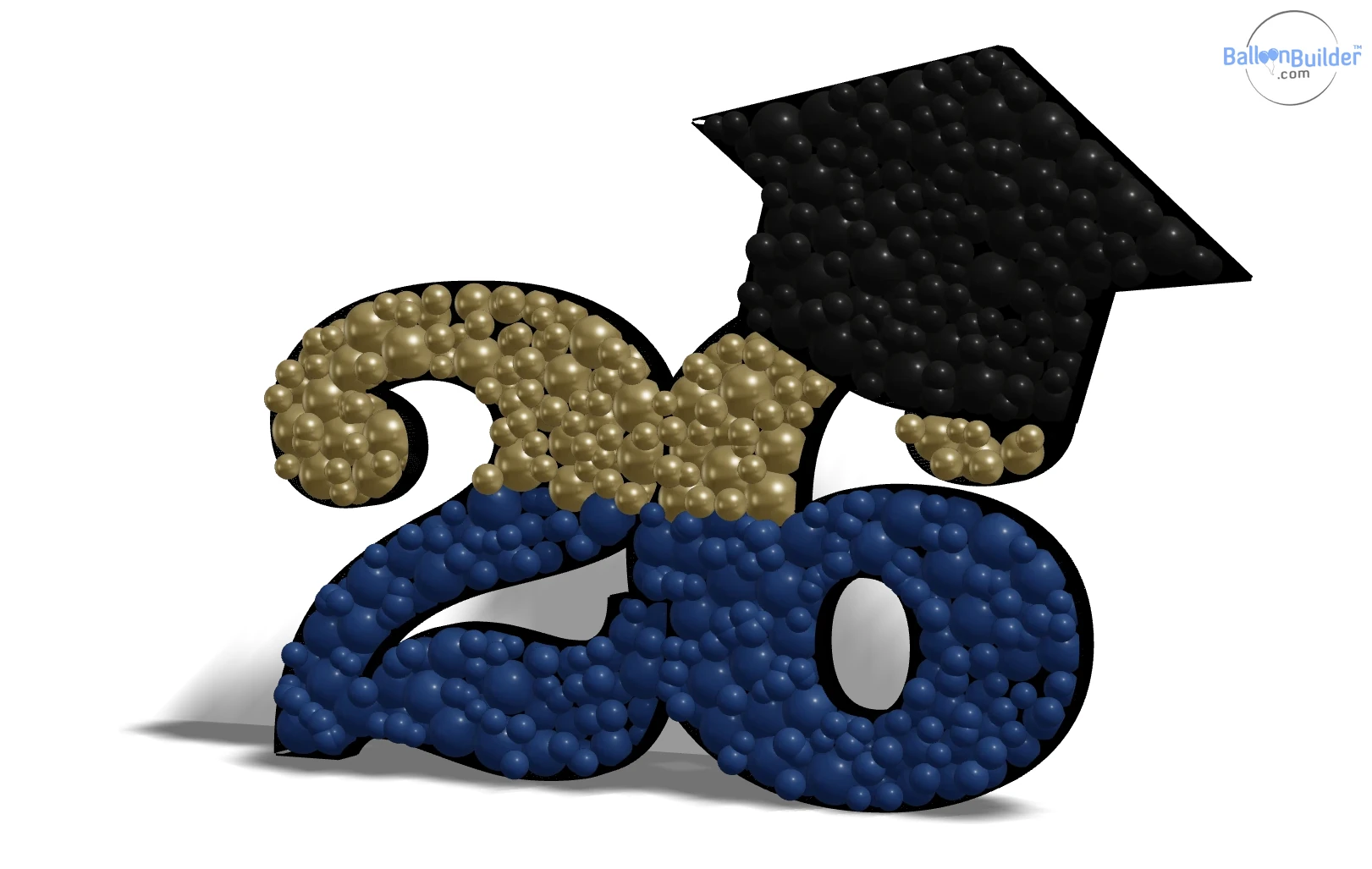
Class of ’26 — numbers plus a grad cap uploaded as SVG. Exported directly from BalloonBuilder, unedited.
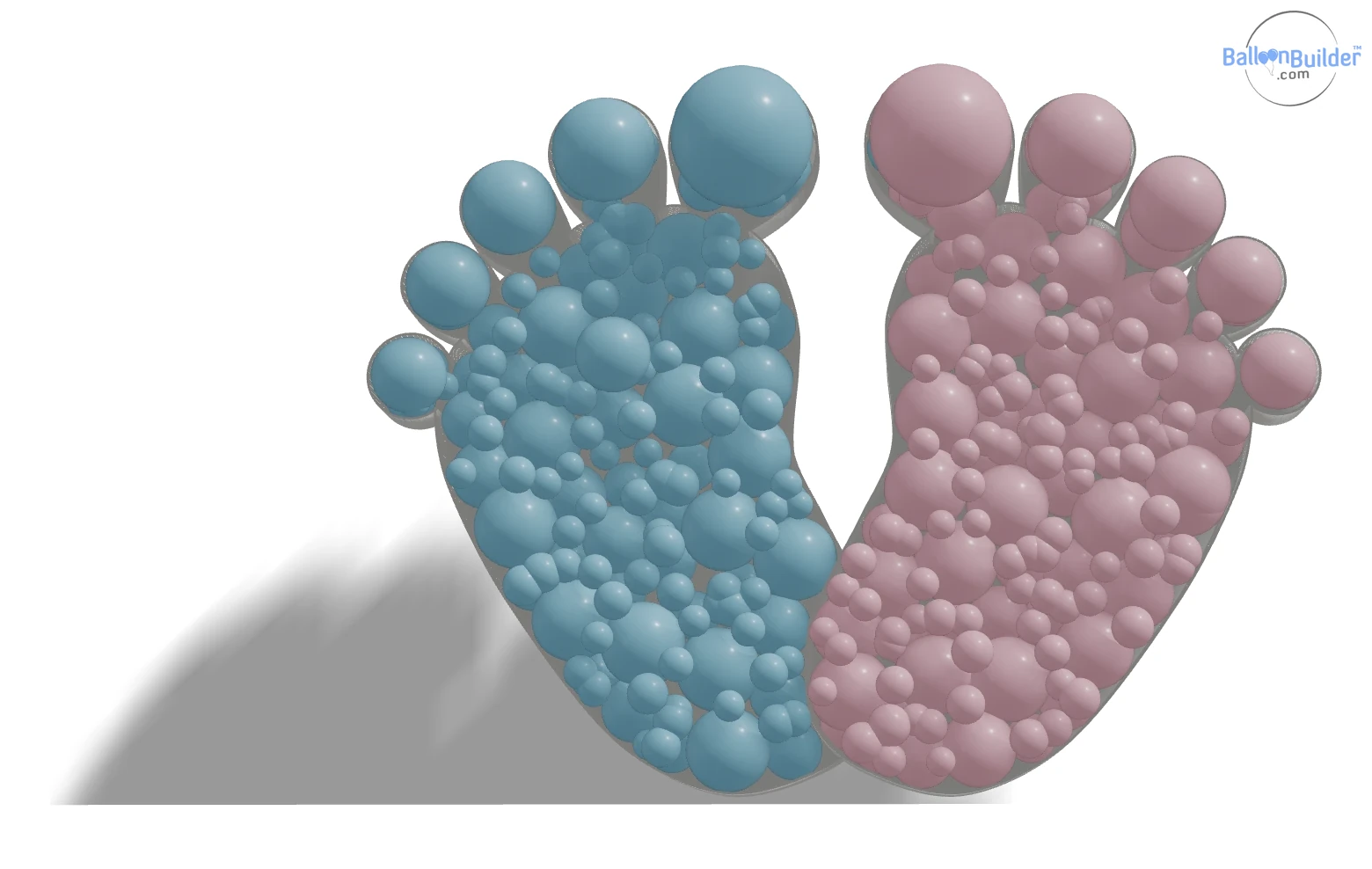
Gender reveal: baby feet from an SVG — one pink, one blue.
Mosaic Designer Features
Everything included in the mosaic mode of the BalloonBuilder Wall & Mosaic app.
Mosaic Designer — Pricing
The mosaic designer is included from the Entry plan up — every letter, every number, custom SVG upload, inner wall dividers, unlimited designs and watermark-free image exports. The only thing metered is the printable A4 / US Letter build template.
🎯 Entry
Full mosaic designer. All letters, numbers, SVG upload, dividers, image exports, material lists.
1 printable template per month.
🎨 Pro
Everything in Entry + all 11 wall types, double wall, spot lights and 3D backgrounds.
2 printable templates per month.
💎 Full
Everything in Pro + tunnel mode and auto colour mapping for balloon walls from a photo or any other image.
3 printable templates per month.
Extra printable templates: $7.99 each · 3 for $17.99 · 6 for $29.99. Monthly allowances reset on the 1st.
Save 25–33% with annual billing. 14-day free trial with 1 hour Full plan access — no credit card required (mosaic PDF exports are not included in the free trial).
See full pricing comparison → | Balloon Wall Designer →
Mosaic Designer — Frequently Asked Questions
What is a balloon-filled mosaic?
A mosaic is a flat 3D shape — usually a number, a letter or a themed silhouette — usually built from foam board and packed full of balloons. You cut the shape from foam board as a flat backing, glue strips of foam board around the perimeter to form side walls, and then fill the resulting box with balloons of mixed sizes. The result is a freestanding, photo-friendly balloon sculpture. Mosaic numbers for birthdays are by far the most common type.
What is a mosaic template?
A mosaic template is the shape outline you trace onto foam board before cutting. Traditionally these are sold as individual PDFs — one shape per purchase. BalloonBuilder works differently: it is a designer, so you generate the shape yourself from typed text or an uploaded SVG, resize it, split it into colour sections, and design as many variations as you want on a flat monthly subscription. Image, 3D and material-list exports are unlimited; the printable build template is included 1–3 times a month depending on your plan, with extra credits available any time.
How do I make a mosaic number?
Open the BalloonBuilder Wall & Mosaic app, switch the mode to Mosaic Designer, and type the number you need — for example 21 or 50. Choose one of the six mosaic fonts, pick a height preset (30″, 4 ft or 5 ft), set the frame depth to match your foam board strip width, and let the packing engine fill it with balloons. Then export the material list and the shape, and follow the for cutting, scoring, gluing and packing.
How many balloons do I need for a mosaic?
It depends entirely on the shape, its height, and the balloon sizes you use — a chunky "8" at 5 ft in a heavy font holds far more than a slim "1" at 30″. Rather than guessing, BalloonBuilder counts them for you: every mosaic design produces a material list broken down by balloon size and colour, so you know exactly what to order. For quick standalone estimates on other decor, try the free balloon calculator.
What size should a mosaic be?
The three standard heights are 30″ (76 cm), 4 ft (122 cm) and 5 ft (152 cm). 4 ft is the most popular for parties — big enough to be a real statement, small enough to transport in a car and fit through a doorway. 30″ suits table-top and shop displays. 5 ft is for milestone pieces. BalloonBuilder also supports any custom height between 1 ft / 30 cm and 13 ft / 400 cm.
What materials do I need to build a mosaic?
Foam board (20″ × 30″ sheets for small shapes, up to 4′ × 8′ for large ones), a standard utility knife with fresh No. 11 blades (a razor-blade cutter is faster on long straight cuts), a self-healing cutting mat, a metal ruler and an L-square or T-square, a high-temperature and a low-temperature hot glue gun, painter's tape and white duct tape, and a mix of 5″ and 11″ latex balloons. The covers the complete toolset, including which tools to avoid and why.
Can I make a custom mosaic shape?
Yes — this is the main advantage of a designer over a template shop. Upload any .svg file and BalloonBuilder converts it into a packed mosaic frame: sharks, swans, crosses, coffee cups, ice cream cones, grad caps, pumpkins, company logos, anything. You can display the original artwork as a semi-transparent overlay to check the fit, and toggle interior holes open or filled.
Can I make two-tone or ombré mosaics?
Yes. Draw inner wall dividers inside the shape (or leave them out if you do not need hard colour lines) — click a start point and an end point, and the divider snaps its endpoints to the outer walls. Each divider can be bent with 2 to 15 knots to follow any curve. Balloons repack automatically inside each section, so you can colour-block a number, create a diagonal split, or build a gradient across a letter.
What letters and numbers are included?
All 26 letters A–Z plus Å, Ä and Ö, all digits 0–9, and 20 symbols — &, @, €, #, $, £, %, !, ?, brackets, slashes, punctuation and more. 59 glyphs in total, in six mosaic fonts, for 354 ready-made shapes. All included on every paid plan, with no per-shape charge.
Can I print a mosaic template at home?
BalloonBuilder exports your mosaic shape as a scalable SVG plus hi-res 2D plans, which you can open in any vector program, scale to true size, and print at home or at a print shop — or send straight to a cutting plotter. The construction guide also explains the traditional workflow: print, trim the margins in a single stack, overlap and tape the sheets, then trace onto foam board. The SVG and image exports are unlimited; the ready-made printable PDF uses one template credit.
Is there a limit on how many mosaics I can design?
No. Designing is unlimited on every paid plan, and so are the image exports — 2D plans, 3D renders, the full-size mosaic image, the SVG and the material list. The only metered item is the printable A4 / US Letter build template: Entry includes 1 per month, Pro 2 and Full 3, all resetting on the 1st. If you need more in a busy month, extra templates are $7.99 each, 3 for $17.99 or 6 for $29.99 — you never have to change your subscription to finish a job.
Do I need a separate subscription for mosaics?
No. A single BalloonBuilder subscription unlocks the complete design suite — the Mosaic Designer, Wall Designer, Arch Designer, Column Designer and Organic Garland Designer are all included in every account. Only SceneBuilder, the 3D venue mockup creator, is an optional studio addon.
Is BalloonBuilder free?
BalloonBuilder offers a 14-day free trial with no credit card required, including 1 hour of full-plan access to test every feature. The mosaic designer itself is part of the paid plans, starting at $14.90/month. BalloonBuilder also offers free tools: a Balloon Calculator, a Helium Calculator, a Quote Builder and PaletteBuilder. Start your free trial →
Design Your First Mosaic Today
Every letter, every number, any custom shape — packed in real-time 3D with exact balloon counts. Try it free, no credit card required.
Start Your Free Trial